How to Prove Your Cookie Banner Actually Blocks Tags

Summary
Proving your cookie banner blocks tags means opting out and then confirming, tag by tag, that the tags the banner claims to block have actually stopped. A consent management platform, or CMP, records a visitor’s choices but does not physically stop a tag from running. Testing what happens after a visitor declines is the only way to know.
This is the gap that catches compliant-looking sites. The banner displays the right options, the visitor opts out, and a tag keeps sending data anyway, because it was never under the banner’s control in the first place.
The sections below explain why a banner does not always block what it displays, and how to prove that yours does. The last section covers keeping it working, release after release.
Why a banner does not always block what it displays
A CMP can only govern the tags it knows about and is wired to control. Several kinds of tag sit outside that control.

Tags hardcoded directly into a page’s source fire regardless of the banner. Tags added outside the tag manager, often by a marketing team moving quickly, are invisible to the CMP. Tags loaded by another script, where one vendor’s tag quietly loads a second, ride in underneath the consent layer. Any of these can keep transmitting after a visitor has opted out, while the banner reports that everything is blocked.
The exposure is real. Enforcement actions have repeatedly involved businesses that had a working-looking banner while back-end tags continued to fire after opt-out. Enforcement Watch: consent banner enforcement cases.
How to prove the banner works
The manual check is to opt out, reload the page, and inspect the network requests to see whether any tags the banner should have blocked are still firing. Done honestly across every key page and every tag, it works. It is slow, and it only ever covers the pages someone thought to check.
How DataTrue proves it:
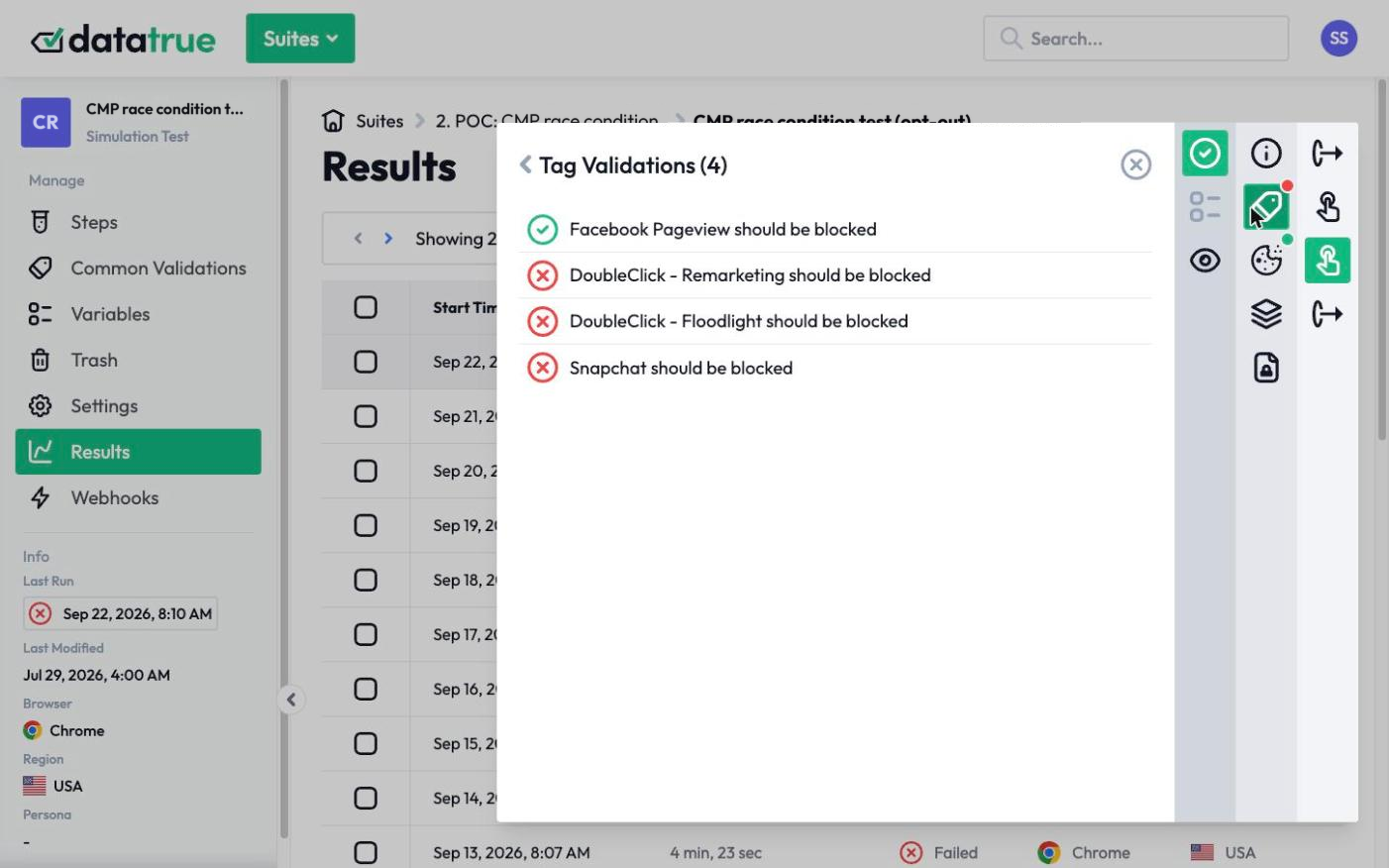
- DataTrue runs your site twice, once with consent granted and once with consent declined, and records every tag that fires in each state.
- It compares the two. Any tag that still fires after opt-out, when the banner said it would be blocked, is flagged as a failure.
- A Coverage test crawls the whole site, so tags outside your tag manager, the hardcoded and piggybacked ones the CMP never sees, are found and included in the comparison rather than missed.
- Sensitive Data Detection watches the payloads of any tag that does fire after opt-out, using fictitious personas, so you learn not only that a tag fired but whether it carried personal or health data with it.
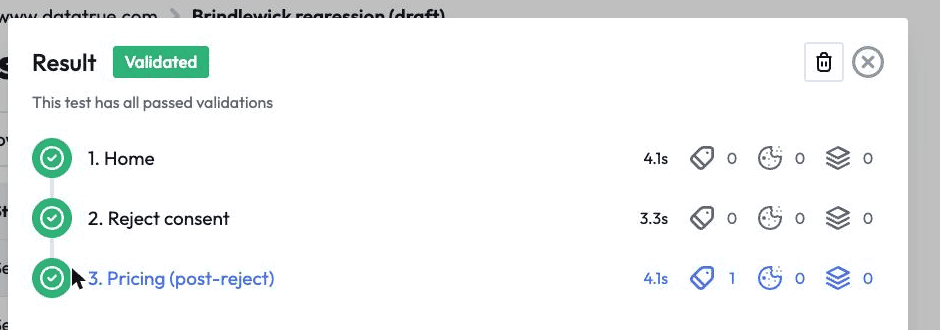
The output is a timestamped, page-by-page record of which tags honored the opt-out and which did not. That record is the proof that the banner is doing what it claims, or the specific list of tags to fix if it is not.
Prove it stays working, release after release
A banner that blocks correctly today can be undermined by tomorrow’s change, when a new tag is added outside the CMP or a script starts loading another. DataTrue can run the opt-out comparison continuously against your live site, and against a draft GTM Preview or Adobe Tags container before publish, so a banner that stops enforcing is caught early.
See how consent verification works
Questions
Does a cookie banner block tags on its own?
Not always. A banner records a visitor’s choices, but enforcement depends on each tag being wired to obey it. Tags hardcoded onto a page, added outside the tag manager, or loaded by another script can keep firing after a visitor opts out, while the banner reports everything as blocked.
How do I prove my banner actually blocks tags?
Opt out, then confirm tag by tag that the tags the banner claims to block have stopped. Compare what fires with consent granted against what fires with consent declined, across your key pages, and include tags that live outside your tag manager. DataTrue automates this comparison and lists any tag that ignored the opt-out.
What if a tag keeps firing after opt-out?
That tag is not being enforced by your banner, and it is exactly what enforcement actions target. It usually means the tag is hardcoded, was added outside the tag manager, or is loaded by another script. It needs to be brought under the CMP’s control or removed.
Can DataTrue tell whether a tag that fired after opt-out leaked data?
Yes. Sensitive Data Detection inspects the payloads of tags that fire, using fictitious personas, so you learn whether a tag that ignored the opt-out also carried personal or health data, without putting real customer data at risk.
See what your tags do in every consent state
DataTrue loads your real pages as a visitor who accepts, rejects, or sends an opt-out signal, and reads what each tag sends. A tag that ignores the visitor’s choice shows up in a test.
- Every page, with coverage scans
- Scheduled runs, with alerts when a result changes
- Full journeys, like checkout and signup, in each consent state
- What each tag sent, field by field
- PII detection with test personas
- iOS and Android app testing
- Pre-publish testing for GTM and Adobe Tags
- REST API, plus Slack and Jira alerts
The full platform, every feature, free for 30 days.