Consent Verification: Prove Your Tags Actually Respect Consent

Summary
Consent verification is testing what your tracking tags do in each consent state, to prove they match what your consent banner promises. It confirms that no tag fires before a visitor agrees, that tags stop on an opt-out or a Global Privacy Control signal, and that no tag leaks personal or health data.
Your consent management platform, or CMP, is the front end of consent. It shows visitors their options and stores what they pick. It has no control over a tag that was hardcoded onto a page, added outside your tag manager, or dropped in by another script. Those tags fire on their own, and the only way to find them is to watch what actually happens on the page. That is what DataTrue does.
The sections below walk through each check, how DataTrue tests it in a real browser, and how to catch a consent regression before it reaches your live site.
What consent verification checks
Three questions decide whether your consent setup holds. Each one has its own guide, and DataTrue tests each one directly.
Do your tags fire before consent?
The first failure to rule out. If a pixel loads before a visitor has answered the banner, you have collected data without a basis, whatever the banner shows afterward.
How to check whether your tags fire before consent.Do your tags respect consent once it is given?
Consent is not one switch. A visitor might accept analytics and decline advertising, and every tag has to follow that specific choice. Verification confirms each tag matches the exact consent the visitor gave.
How to verify your tags respect consent.Does your cookie banner actually block the tags it claims to block?
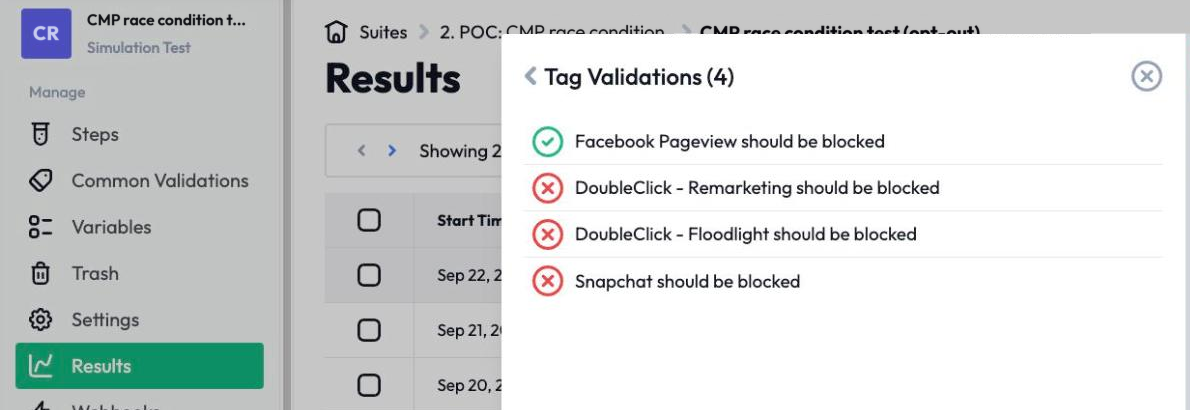
A banner that displays the right choices can still sit on top of tags it never controls. Proving it works means opting out and confirming, tag by tag, that the ones that should stop have stopped.
How to prove your cookie banner blocks tags.How DataTrue verifies consent
DataTrue runs your site the way a real visitor would, in a real browser, in each consent state, and records exactly what every tag sent and when. There’s nothing of ours to install on your pages. DataTrue doesn’t ask you to add any script, tag or code to your site.
Coverage and Simulation tests.
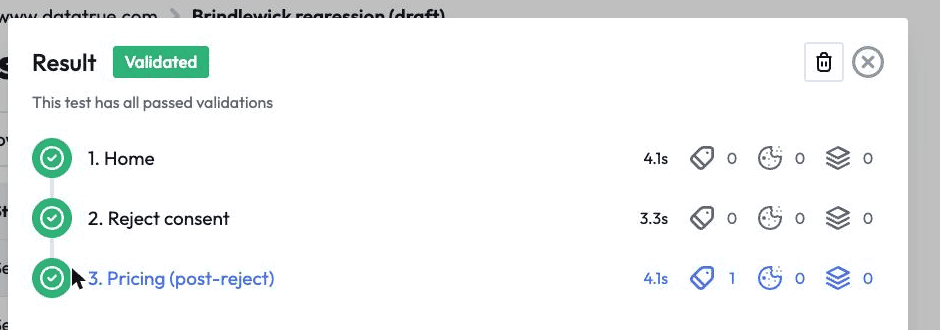
A Coverage test crawls your whole site and reports every tag it finds, including the ones outside your tag manager that a CMP never sees. A Simulation test walks a defined journey, a checkout or a registration, step by step, and checks what each tag transmitted at each step. Coverage tells you what is present across the site. Simulation tells you what happens during a real transaction.
Consent states, tested directly.
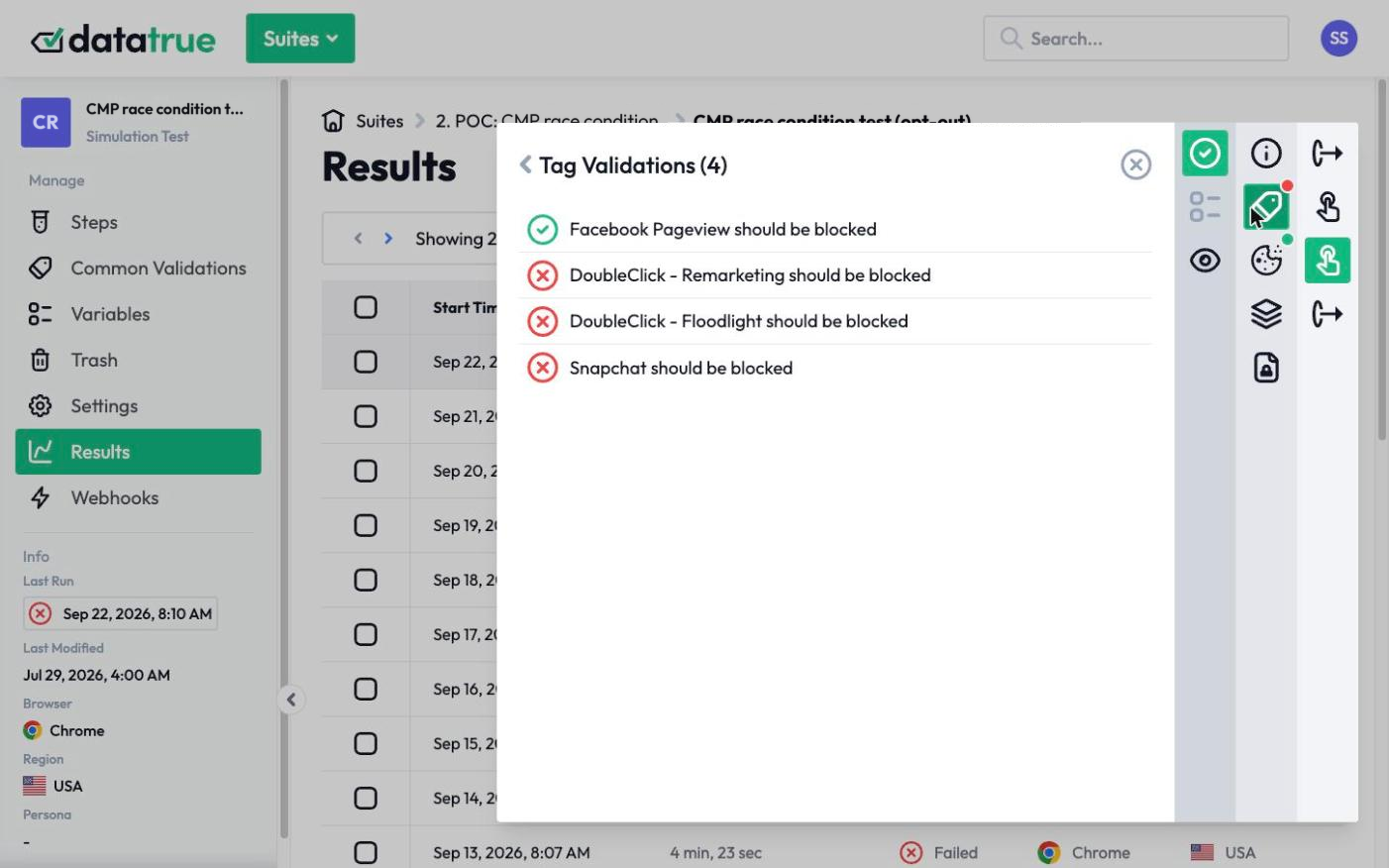
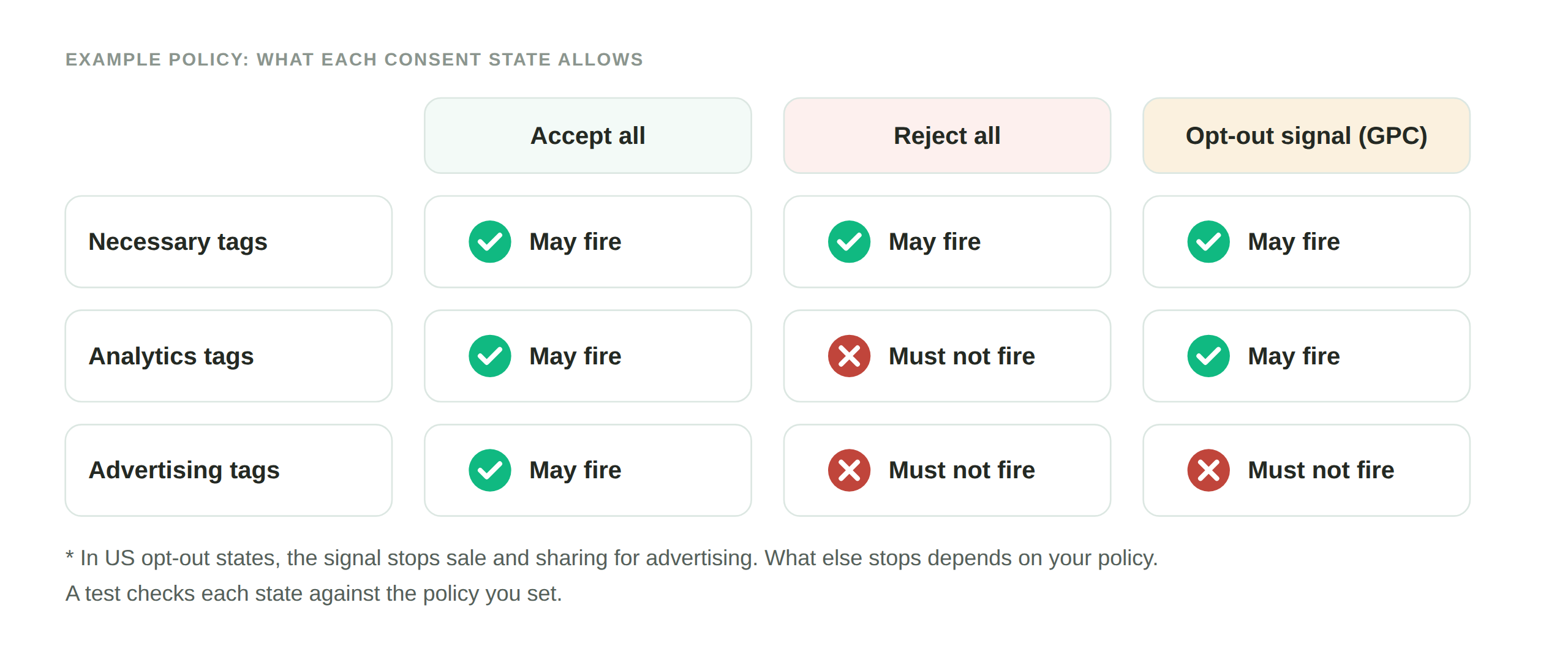
DataTrue tests your site with consent granted, with consent declined, and with individual categories accepted or refused, then compares what fired against what your policy allows. The Tag Policy and Cookie Policy rules define what is allowed, not allowed, or required in each state, so a tag firing where it should not is flagged as a failure rather than left for someone to notice.
Global Privacy Control.
DataTrue tests GPC by loading your site with a GPC-signalling browser extension switched on, then confirming the tags that should stop actually stop. This is a real signal from a real browser, the same way a visitor’s own browser would send it.
Sensitive Data Detection with Personas.
DataTrue fills your forms with fictitious personas, profiles carrying fake names, emails, and payment details, then watches every tag payload for that data. Because the data is invented, we can test for a leak to Meta, Google, or LinkedIn without ever putting a real customer’s information at risk. Sensitive Data Detection can be set to fail a test the moment protected data appears in a payload. This is DataTrue’s PII leak detection at work, so the full picture of your tracking covers both consent and data leakage.
A defensible audit trail.
Every test run produces a timestamped record of what fired, what it sent, and under which consent state. That Launch Report is the evidence a privacy or legal team can show a regulator, and the alert a marketing team gets when a scheduled test finds a tag doing something it should not.
Catch it before it ships
Most consent failures are introduced by a change: a new campaign pixel, a tag manager edit, a developer update that re-enables something. DataTrue can run these same checks against a draft GTM Preview or Adobe Tags container before it goes live, so a consent regression is caught in staging, before a single real visitor is affected. The CI API can also run your test suites automatically on every release, on top of the continuous testing running against your live site.
Questions
What is consent verification?
Consent verification is testing what your tracking tags actually do in each consent state, to confirm they match what your consent banner promises. It checks that tags wait for consent, stop on opt-out and on a GPC signal, and do not leak personal data.
Why isn’t a consent banner enough on its own?
A banner records a visitor’s choices but does not enforce them. Tags added outside your tag manager, hardcoded onto a page, or loaded by another script can fire regardless of what the visitor chose. Verification is how you confirm the banner’s choices are actually applied.
How does DataTrue test consent without using real customer data?
DataTrue fills forms with fictitious personas, invented profiles with fake names, emails, and payment details, then checks whether any tag transmits that data. Because the data is not real, testing for a leak never exposes an actual customer’s information.
Can DataTrue check consent before a change goes live?
Yes. DataTrue can run the same consent checks against a draft GTM Preview or Adobe Tags container before publish, and automatically on each release through its CI API, so a consent regression is caught in staging rather than in production.
How does DataTrue test Global Privacy Control?
DataTrue loads your site with a GPC-signalling browser extension enabled and confirms that the tags required to stop under a GPC opt-out actually stop. The signal comes from a real browser, which is how a real visitor’s GPC setting would reach your site.
Related guides
See what your tags do in every consent state
DataTrue loads your real pages as a visitor who accepts, rejects, or sends an opt-out signal, and reads what each tag sends. A tag that ignores the visitor’s choice shows up in a test.
- Every page, with coverage scans
- Scheduled runs, with alerts when a result changes
- Full journeys, like checkout and signup, in each consent state
- What each tag sent, field by field
- PII detection with test personas
- iOS and Android app testing
- Pre-publish testing for GTM and Adobe Tags
- REST API, plus Slack and Jira alerts
The full platform, every feature, free for 30 days.