What Is a Web Tag?
Summary
A web tag is a small piece of code, usually JavaScript or a tracking pixel, placed on a web page to collect data about what visitors do and send it to a third party such as an analytics or advertising platform. Tags track things like page views, clicks, and where a visitor came from.
Web tags play a central role in digital analytics, letting website owners track user behaviour and gather data about their traffic. But what exactly are web tags, and how do they work? This guide covers the basics: what web tags are, how they work, how they differ from cookies and other tags, their benefits and common problems, and the best practices for keeping them accurate.
A website usually runs many tags at once, often added by different teams over time. Knowing what each one does, and what it sends, is the starting point for accurate analytics and for privacy compliance.
What is a web tag?
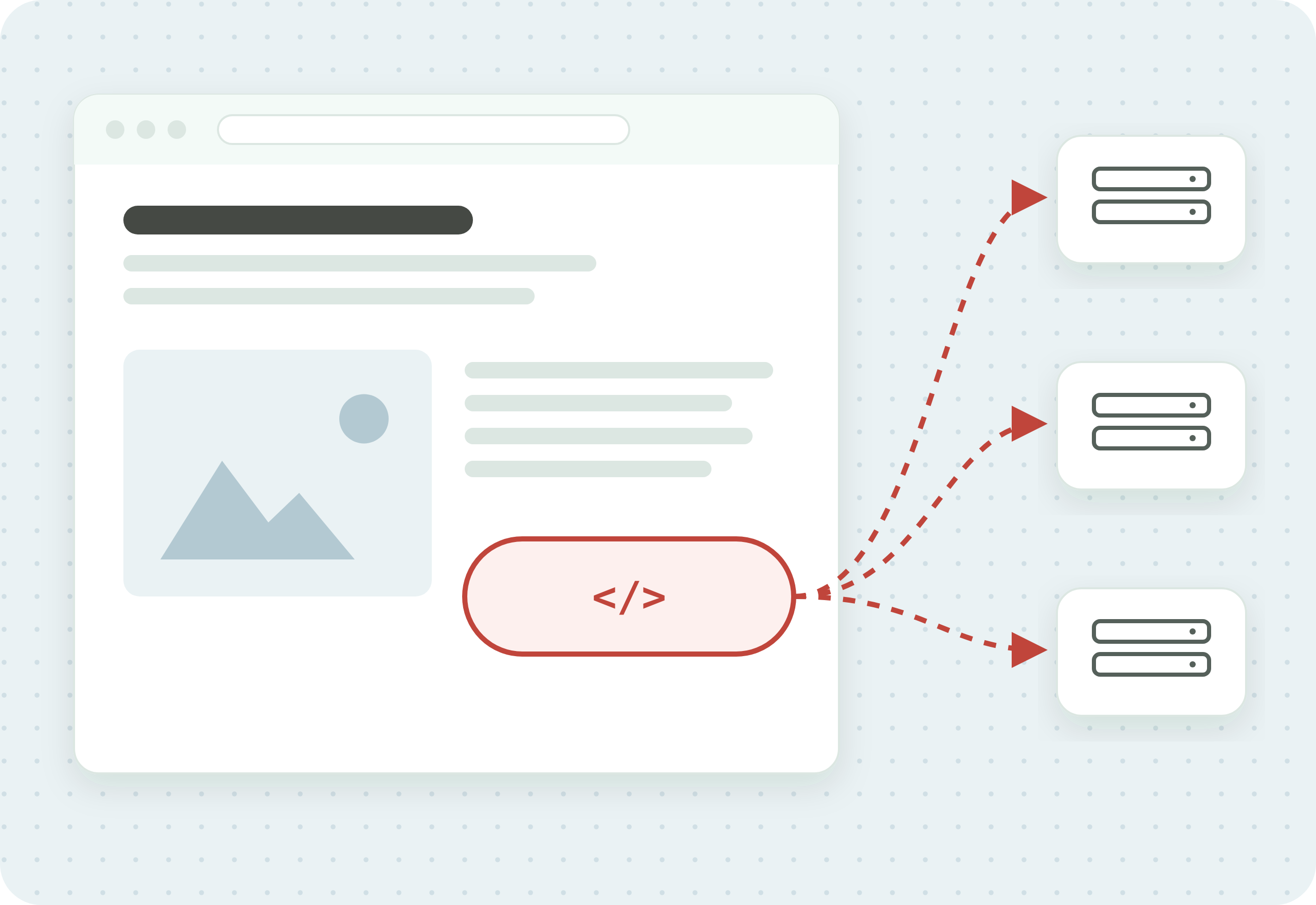
Web tags are small pieces of code used on websites to collect data. When a particular action is performed on a website, web tags record relevant data and send it to a third party.
The data collected by website tags generally relates to the users of your site. For example, a tag can be set to collect information about a user’s IP address, web browser, and journey to the site. For a sourced reference to the common tags and exactly what each one collects, see what your tags actually collect.
Web tags are commonly confused with cookies. A cookie is a small piece of data a server stores in the browser, which the browser sends back with later requests. Cookies are used for sessions, preferences and tracking, and third-party cookies go to other sites’ servers. They are a distinct web element.
How do web tags work?
Tags are pieces of code inserted into a web page’s HTML document. Once a tag has been inserted, third-party tools can log a connection and track the relevant data on their own server.

Here is a simple overview of how the process works:
- The user’s web browser requests a page from the website’s server.
- The server sends the page contents to the browser, including the code for the page’s web tags.
- The browser executes the tag code, collecting the relevant data per the tag’s function.
- The data is sent to the third-party server.
- Once the data is stored on the server, it can be analysed to better understand user activity.
What does a web tag look like?
In a page’s HTML document, web tags appear as small snippets of code. To the end user, web tags are invisible.
Here is an example of a web tag that loads the Google tag (gtag.js), which Google Analytics 4 uses:
<script async src="https://www.googletagmanager.com/gtag/js?id=G-XXXXXXXXXX"></script>This is a very simple string of code. Most web tags do not include all the details of the instruction to be executed. For instance, the example above points to Google, where the complete instructions are held and loaded from. Older sites may still carry analytics.js, the Universal Analytics library. Standard Universal Analytics properties stopped processing data on July 1, 2023.
Why are web tags important?
Web tags are important for digital marketing. They provide customer insights that analysts use to shape the strategy of a business.
To give you a sense of how useful web tags can be, here are some of the insights they can provide about your site users:
- Approximate location, often derived from the visitor’s IP address (Google Analytics, for example, does not store the IP itself)
- Web browser
- How the user arrived on your site, for example via Google Search, Google Ads, or a social media link, which tells you how effective your search, advertising, and social campaigns are
- Profile ID
- Targeting criteria
- Which on-page ads the user has viewed
- Which links the user has clicked
Third-party code like this is close to universal. According to the 2024 Web Almanac, about 92% of web pages load at least one third party.
What is the difference between web tags, meta tags, and HTML tags?
Web tags, meta tags, and HTML tags are often confused, but the three are distinct.
In digital marketing, web tags are short pieces of code used to collect data and send it to third-party servers.
Meta tags are pieces of code in the page head that describe a page to browsers and search engines. Google sometimes uses the meta description as the snippet on its results page. The title element, which also sits in the page head, is one source Google uses for the title shown in results. Two related SEO signals live elsewhere: alt text on an image helps Google understand the image, and nofollow is a hint about links, set on a link or in the robots meta tag.
HTML tags include meta tags but cover a broader range of functions. They also include simpler pieces of code that signal the visual appearance of on-page elements and are central to how a web page looks and works. For example, bolded text is wrapped in the HTML tags <b> and </b>.
| Web Tag | Meta Tag | HTML Tag | |
|---|---|---|---|
| What it is | A snippet of JavaScript or a pixel that collects and sends data to third-party tools | An HTML element that describes the page to browsers and search engines | A building-block element that defines page structure and content |
| Where it lives | In the page head or body, often deployed via a tag manager | Only in the page head | Throughout the HTML document |
| Main purpose | Analytics, marketing, and conversion tracking | SEO and how the page is read and displayed | Rendering the page’s structure and content |
| Example | GA4 tag, Meta Pixel, LinkedIn Insight Tag | <meta name="description">, <meta charset> | <p>, <div>, <h1>, <a> |
| Who manages it | Marketers and analysts | SEO specialists and developers | Developers |
What are the benefits of web tags?
Web tags are integral to digital analytics. They collect data you can use to understand consumer behaviour and the nature of the traffic coming to your website. That data offers several benefits.
1. Use web analytics insights. Website tags collect detailed data about your users and their experience on your site. The volume can seem overwhelming at first, but organising it with a tag management system turns it into insights you can use to improve your marketing and user experience (UX). Web tags make it easier to see where your customers come from, how they landed on your page, and how they interacted with your site.
2. Optimise and measure your marketing campaigns. Web tags tell you about the customer’s journey to your page. If you spend on social media, Google Ads, or search campaigns, tags show how effective that spend has been, more accurately than likes and shares. You can also compare campaigns: run two social ads, and tags show which drove more traffic.
3. Segment and personalise customer profiles. The data you collect supports detailed customer profiles, which reveal insights about your core markets. Tags and tag managers let you accumulate that data and build segmented, personalised profiles, so you can tailor your engagement and UX to your users.
What are the common problems with web tags?
Web tags have drawbacks that businesses should be aware of. Problems with data collection, data protection, and page functionality can all arise.
1. Inaccurate data. Once tags are set up, you come to rely on the information they provide. But tags are not perfect, and the data can be inaccurate. Worse, there is often no quick way to tell that your tags are reporting bad data, so you could pursue the wrong strategy for a long time without realising it.
2. Protecting sensitive customer data. Web tags collect extensive and sometimes sensitive information about your customers. If your tags are insecure, that data can end up in the wrong hands. Tags can even send data to the wrong third-party servers, a problem known as data leakage. If your site offers goods or services to people in the EU, or tracks their behaviour, the EU’s General Data Protection Regulation (GDPR) can apply even if you’re based elsewhere.
3. Data silos. The raw data web tags produce is of little use on its own without technical work. If it is not incorporated into a broader marketing stack, it stays siloed and hard to apply. A wider marketing system makes that data much easier to use.
4. Slow page loading speeds. The more elements on a page, the slower it loads. A large number of tags, especially poorly optimised ones, can hamper your page speed, and slow pages cost you visitors.
5. Broken pages or website paths. In extreme cases, dysfunctional tags can break website paths and whole pages, usually when a site restructure causes tags to break. This is rare, but it shows why tags need proper maintenance.
These risks grow with scale. The more tags in play, the more chances for something to go wrong, which is why enterprise tag management needs a comprehensive approach to organisation, management, and workflow, not just implementation.
What are the best practices for web tags?
Several best practices help you use web tags effectively.
1. Implement a tag management system. A tag management system (TMS) lets you deploy and oversee the tags on your site from one place. Without one, you have to change the code on every page a tag appears on, every time you deploy or change a tag, which is tiresome at best. Problems are also far easier to diagnose with a TMS in place. Two examples are Google Tag Manager, which is approachable and has a free version, and Adobe Tags (formerly Launch), which Adobe includes for Adobe Experience Cloud customers and which succeeded the older Dynamic Tag Management. For more, see our guide to tag management and what happened to Adobe DTM.
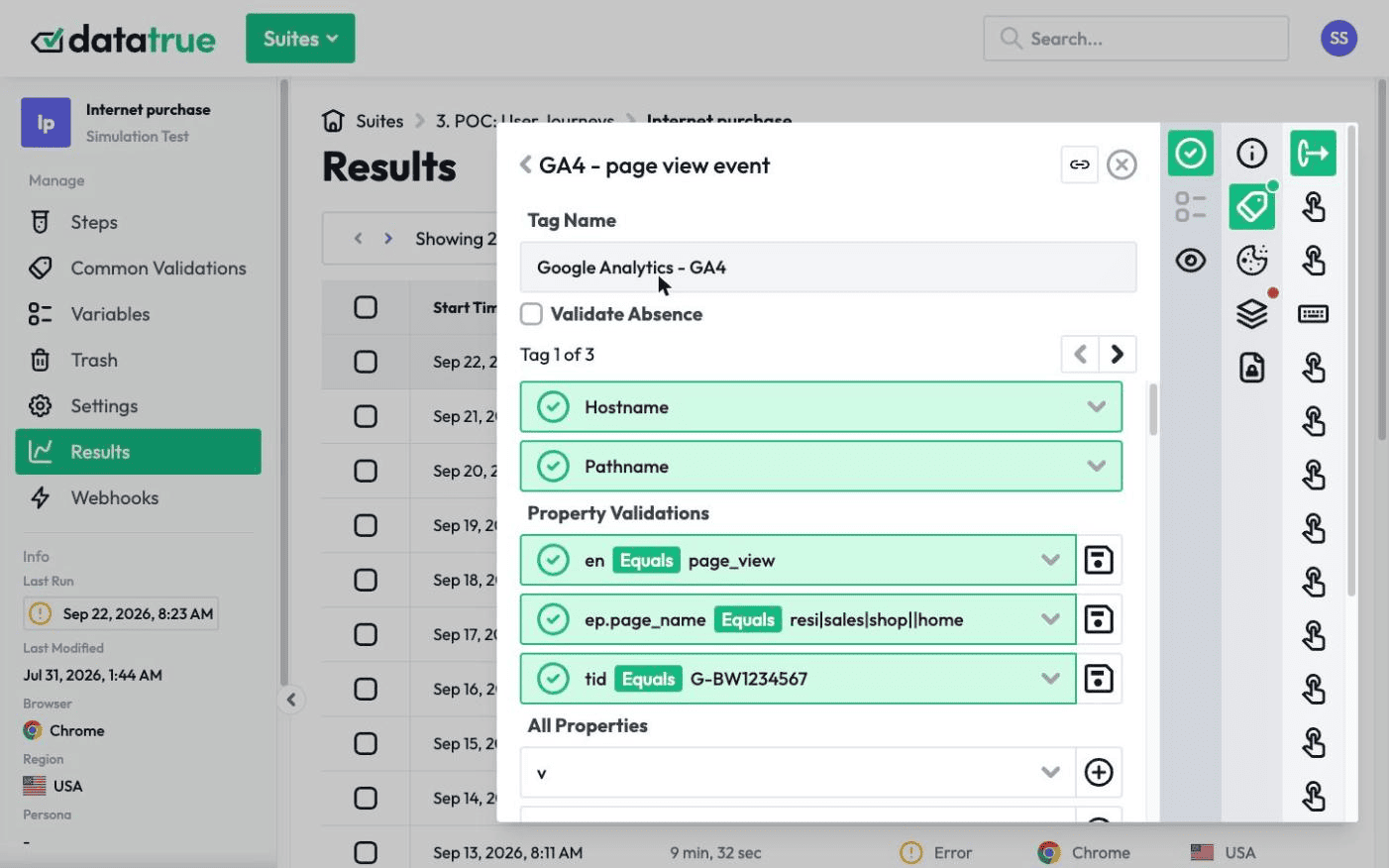
2. Frequent tag auditing and testing. The only way to be sure your tags work as intended is a process of frequent tag auditing and testing. Audits come in two forms, manual and automated. A manual audit means a person inspects and tests each tag. Done properly it is reliable, but it does not scale and is prone to human error. Automated tag governance software is the alternative. DataTrue’s web analytics testing produces page reports across your whole site, including critical pages and conversion events, and surfaces issues such as loading times, tag validations, tag data payloads, and errors written to the browser console.
3. Integrate tags into your workflow. Web tags may be new to your team, so integration is key to finding and resolving issues. DataTrue integrates with many tools teams use daily. You can link DataTrue to Jira Cloud to create and assign tag tasks, connect it to your team’s Slack workspace to keep communication about tag-related issues in one place, and connect it to Confluence for Standard Operating Procedure (SOP) documents. This keeps your tags from becoming a silo and keeps your team ready to handle issues as they arise.
Questions
What is a web tag in simple terms?
A web tag is a small piece of code (usually JavaScript or a tracking pixel) placed on a web page to collect information about visitor behaviour and send it to tools like Google Analytics or advertising platforms.
Are web tags the same as tracking pixels?
A tracking pixel is one type of web tag. The name comes from tiny, often 1×1, image-based tags used for advertising and conversion tracking. Most advertising pixels today, such as the Meta Pixel, are JavaScript tags, often with an image fallback.
What is the difference between a web tag and a cookie?
A web tag is the code that fires and collects or sends data. A cookie is a small piece of data stored in the browser and sent back to the server that set it, which for a third-party cookie is another company’s server. Tags frequently set or read cookies, and cookies are often used for tracking, but they are not the same thing.
Do web tags slow down my website?
They can. Every tag adds code that has to load, so too many tags, or poorly implemented ones, can slow page speed. Regular auditing, and removing tags you no longer use, keeps this under control.
How do I know if my web tags are firing correctly?
Tags break silently after site changes, so the reliable approach is automated validation that checks each tag fires with the right values on every key page and conversion event. DataTrue’s web analytics testing does this automatically across your whole site.
See what your tags actually collect on your own site
DataTrue tests the tags on your live site and apps, checking what each one fires and what it sends, in each consent state. See how it works on the web analytics testing page.
Know what your tags send, page by page
DataTrue runs real journeys on your site and checks each tag’s data against what you expect, field by field. A missing event or a wrong value shows up in a test before it reaches a report.
- Every page, with coverage scans
- Scheduled runs, with alerts when a result changes
- Full journeys, like checkout and signup, in each consent state
- What each tag sent, field by field
- PII detection with test personas
- iOS and Android app testing
- Pre-publish testing for GTM and Adobe Tags
- REST API, plus Slack and Jira alerts
The full platform, every feature, free for 30 days.