What Is Tag Management?

Summary
Tag management is the practice of deploying, organising, and maintaining the tracking tags on a website so they fire correctly and collect accurate data. Many sites use a tag management system (TMS) such as Google Tag Manager to control every tag from one place, instead of hand-coding each one into the page.
Tags run on a large share of websites, but like any tool, they only work properly when they are maintained. This guide covers the basics of tag management: what tags are and what they collect, what a tag management system does and how it works, the main systems, and why auditing your tags matters even after you have a system in place.
Readers new to tags can start at the top, with what a tag is and what it collects. If you already run a tag management system, the later sections on tag assurance and seeing your tags working on your own site are the place to start.
What is a tag?
Web tags are snippets of code on a website that collect data for third parties. For a fuller explanation, see what is a web tag. As an example, a tag that loads the Google tag (gtag.js), which Google Analytics 4 uses, looks like this:
<script async src="https://www.googletagmanager.com/gtag/js?id=G-XXXXXXXXXX"></script>It is a simple string of code that tells the browser to run a JavaScript file and points it to Google for the actual instructions to be executed. Older pages may still show analytics.js, which was the Universal Analytics library.
What kind of data do tags collect?
Tags collect actions performed on a website, such as which pages have been viewed, along with user data like the web browser, or how a user arrived at the site. The data falls into three categories:
- User context: contextual information such as the IP address of the user’s phone or computer, the web browser they are using, and how they were referred to the site (organic search, direct, social, and so on).
- User profile: pseudonymous data stored in cookies, such as a Profile ID or targeting criteria. Under laws such as the GDPR, cookie IDs like these can be personal data, because combined with other information they can single a person out.
- User behaviour: data on the products, content, or ads the user viewed, links clicked, time on the page, and similar.
For a sourced reference to the common tags and exactly what each one collects, see what your tags actually collect.
How do tags collect data?
When a tag is loaded, it usually tells the browser to connect to a particular third-party server and send data there. The process looks like this:

- The user’s web browser requests a page from the server.
- The website’s server sends the page contents to the browser, including the code for third-party tags.
- The browser executes that code, collecting data according to the tag’s function.
- The data is sent to a third-party data collection server.
Once the data is stored on the collection server, it can be used for reporting on user activity.
What is the difference between a tag and a cookie?
The two terms are often used in place of each other, but tags are not cookies. A cookie is a small piece of data a server stores in the browser, which the browser sends back with later requests. Cookies are used for sessions, preferences and tracking. Tags can set and read cookies, but a tag is the code that gathers and sends the information.
What is tag management?
Tag management is the process of organising and managing the tags on a website so they fire correctly and collect accurate data.
Why is tag management important?
Individual tags are simple, but a site can have many firing at once. It matters that they all behave correctly, because otherwise the data they collect can be incomplete or inaccurate. Like any resource, tags need to be monitored and adjusted to stay useful.
Digital marketing. As the internet grew in the early 2000s, marketing technology followed. Traditional techniques were less effective online, so the industry adapted. Analytics let businesses gauge the success of campaigns using the data they collected.
Web analytics. Web analytics let marketers see in real time how users interacted with their website. As customer experience moved online, data collection became central to understanding consumer behaviour and website performance. How did they find this product? How long did they spend on a page? Which pages prompted them to leave? Web analytics made these questions answerable, and tags were what enabled it.
The rise of tag management. Managing tags was once simple, done on the website itself, because there were few marketing technologies. As the number of marketing tools grew, managing every tag by hand became unworkable, and misconfigured tags became easier to miss.
What is a tag management system (TMS)?
A tag management system, or TMS, is software used to manage all of the tags in use on a website. These systems make managing tags easier, so marketing and analytics teams can track and manage their tags without involving IT. Examples include Google Tag Manager, Adobe Tags (formerly Adobe Experience Platform Launch, which succeeded Dynamic Tag Management), and Tealium, each with a different approach to deploying and governing tags.
How do tag management systems work?
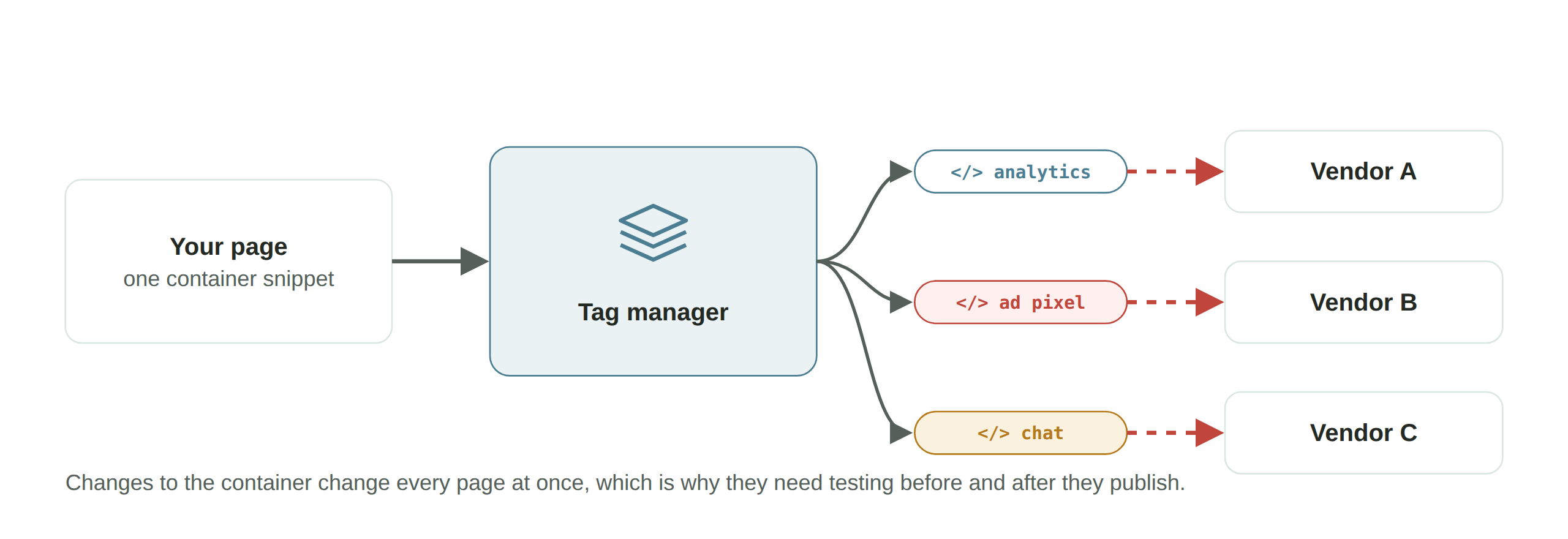
Tag management systems are web-based interfaces that control the deployment and management of tags. Without a TMS, developers would need to adjust a website’s code every time a tag is added, removed, or changed.
A TMS replaces the individual code for every tag with a single container snippet. When you publish a change in the TMS, the container loads the updated set of tags, and each tag still loads its own code.
Which tag management systems should you know?
There are several options. This guide looks at two of them: Google Tag Manager and Adobe Tags.
Google Tag Manager. It is easy to use, integrates with other Google tools such as Google Analytics, and supports third-party tags. According to W3Techs (September 2026), Google Tag Manager is used on about 45% of websites, by far the most of any tag manager.
Adobe Tags (formerly Launch). Adobe renamed Experience Platform Launch to Tags in July 2021. Adobe includes it for Adobe Experience Cloud customers, so it is a strong option for teams already using Adobe. It succeeded the older Dynamic Tag Management (DTM) software and is built around extensions, which Adobe and outside developers build. If you are not already invested in Adobe’s products, it may not be the best fit. For what happened to the older DTM and how to move to Tags, see what happened to Adobe DTM.
What are the benefits of tag management systems?
Tag management systems help by stretching the capability of analytics tools and simplifying marketing work. Examples of how they help:
- Control your tag deployments without coding or IT.
- Give marketing or analytics teams more independence, which increases productivity.
- Integrate easily with reporting and analytics software. Google and Adobe both offer analytics products that integrate with their own tag managers.
- Make QA easier, because a web-based interface makes it simpler to check for duplicates or track hundreds of tags.
What are the signs you need a tag management solution?
Implementing a TMS is a big step. A few signs you need one:
- You want to expand your digital marketing and track more data.
- You already use several different digital marketing solutions (half a dozen or more).
- You want your marketing and analytics teams to be more independent of IT.
- Your current solutions are too limited and you want a more flexible option.
How do tools help with tag management?
Tag management systems make deploying tags easier, but they also open the door to errors and inefficiencies. To be sure your tags work and collect the data you need, you have to run regular quality checks on your deployments. That testing process is called tag auditing, and it is a necessary step for deploying and managing tags well. Manual auditing is cumbersome, so tools exist to help.
Tag auditing tools check whether your tags fire correctly and carry the right data on the pages they test. Some let you schedule tests, so a major site update doesn’t quietly break your tags.
Tag assurance with DataTrue
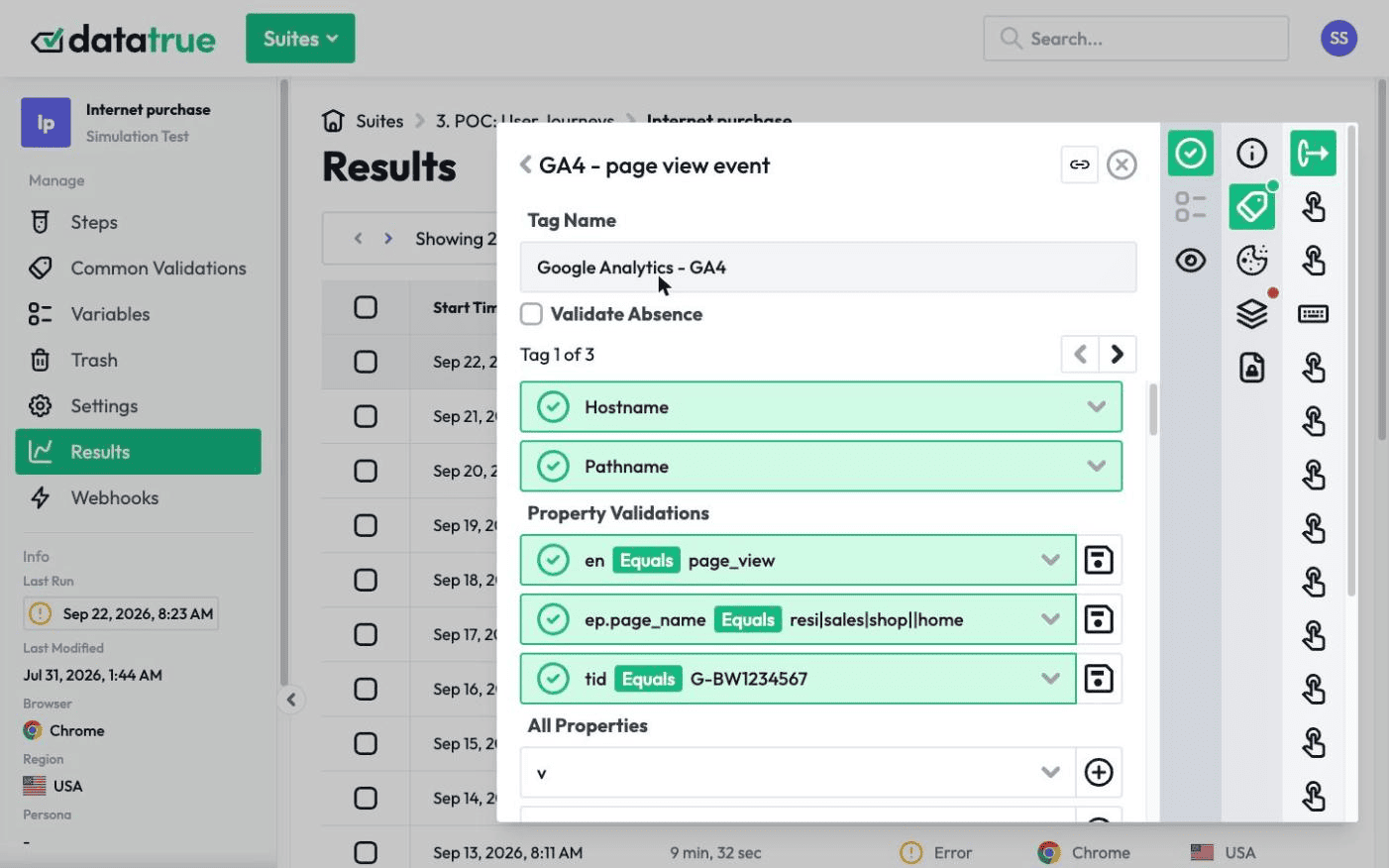
DataTrue offers web-analytics-focused tools that assist with tag auditing when you deploy a TMS. Coverage tests scan your entire website and report what is tagged on every page. Simulation tests go more granular, checking each step of a user’s journey and confirming the correct tags fire and collect the right data. These tests also include sensitive-data detection, so you can confirm customer data is not being shared with third parties. A data leak can lead to fines and reputational damage, so it helps to catch one before it becomes a problem.
See your tags working on your own site
DataTrue tests the tags on your live site and apps, checking what each one fires and what it sends, in each consent state. See how it works on the web analytics testing page.
Questions
What is tag management?
Tag management is the practice of deploying, organising, and maintaining the tracking tags on a website so they fire correctly and collect accurate data. Many sites manage their tags through a tag management system such as Google Tag Manager.
What is a tag management system (TMS)?
A TMS is software that manages all of the tags on a website from one place. It replaces the individual code for each tag with a single container, so marketing and analytics teams can add, change, and organise tags without editing the site’s code every time.
How does a tag management system work?
The site loads one container snippet instead of hand-coded tags. When you publish changes in the TMS, the container loads and fires the tags you have set up, and each of those tags still loads its own code.
Which tag management systems should you know?
Examples include Google Tag Manager, Adobe Tags (formerly Launch) and Tealium. According to W3Techs (September 2026), Google Tag Manager is by far the most used tag manager, and it has a free version.
Why do you still need to audit tags if you use a TMS?
A TMS makes deploying tags easier, but it also makes it easy to introduce duplicate, missing, or misfiring tags. Auditing checks that the tags your TMS deploys fire correctly and collect accurate data on your live pages. A TMS preview mode helps while you build, and an audit checks what actually runs.
Know what your tags send, page by page
DataTrue runs real journeys on your site and checks each tag’s data against what you expect, field by field. A missing event or a wrong value shows up in a test before it reaches a report.
- Every page, with coverage scans
- Scheduled runs, with alerts when a result changes
- Full journeys, like checkout and signup, in each consent state
- What each tag sent, field by field
- PII detection with test personas
- iOS and Android app testing
- Pre-publish testing for GTM and Adobe Tags
- REST API, plus Slack and Jira alerts
The full platform, every feature, free for 30 days.