Know your tags are still right, long after you shipped them
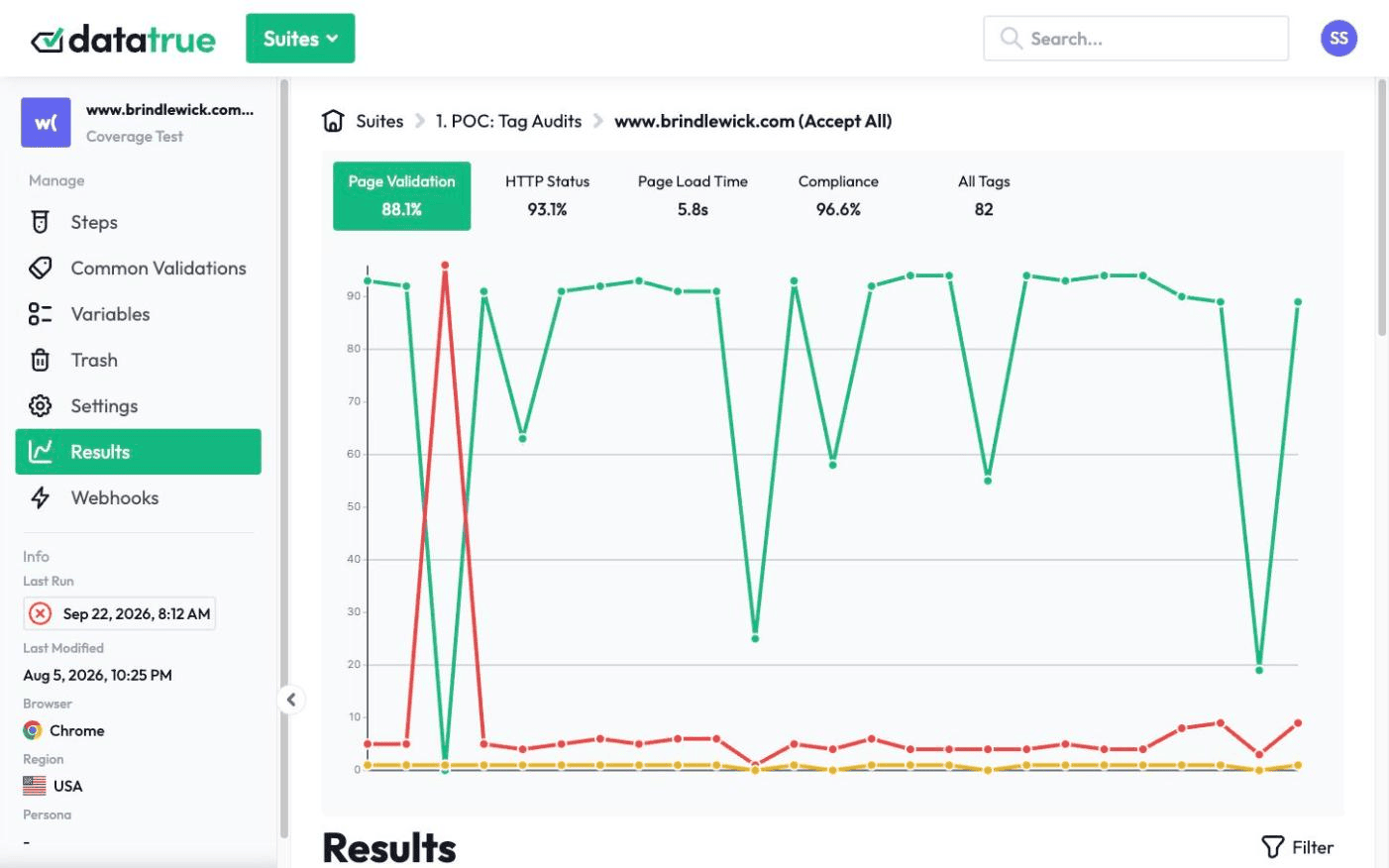
Tags break quietly. A vendor changes a script, a release drops a data-layer value, a pixel starts firing before consent, and your reports are wrong before anyone notices. DataTrue re-tests your live site and apps on the schedule you set and tells your team as soon as a scan catches something, so a break is caught on the next run, before a quarter of reports go bad.
The full platform, every feature, free for 30 days.
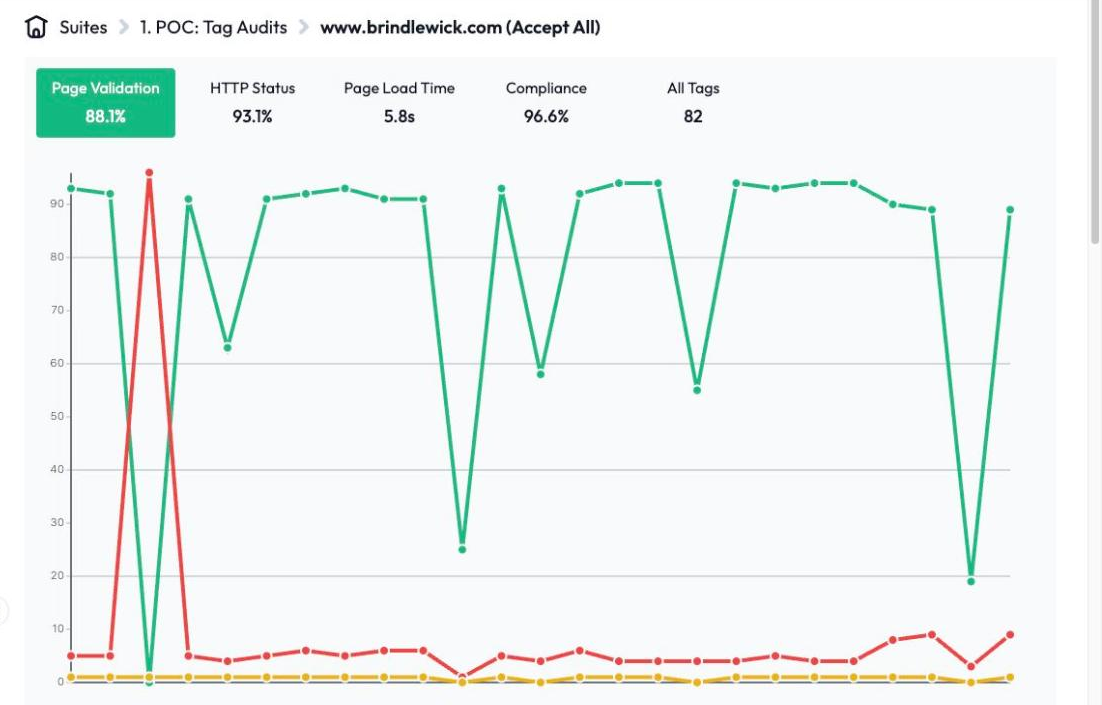
Continuous tag monitoring is the ongoing, scheduled testing of the analytics tags, tracking pixels, and consent behaviour on your live website and mobile apps. DataTrue re-runs coverage scans and journey tests on the cadence you set and alerts your team as soon as a scan finds a broken tag, a tag your policy doesn’t allow, or a failing consent rule.













Scheduled coverage and journey re-runs
Coverage scans confirm what is tagged across every page. Journey simulations re-walk your key flows, checkout and signup, and check each payload. Both run on a repeating schedule you control, so the whole site and the flows that matter stay under test continuously.
How do alerts reach your team?
When a scan catches something, DataTrue sends an alert through a webhook, a standard HTTP POST it fires on run and test events. Point it at Slack, Microsoft Teams, Jira, PagerDuty, or your own internal service.

Alerts go out as soon as a scan detects a problem, on the cadence you set, so a broken conversion tag reaches the right person quickly instead of surfacing in next month’s report. Because it is a plain webhook, you are not limited to one chat tool or waiting on a native integration.
Flag tags your policy doesn’t allow
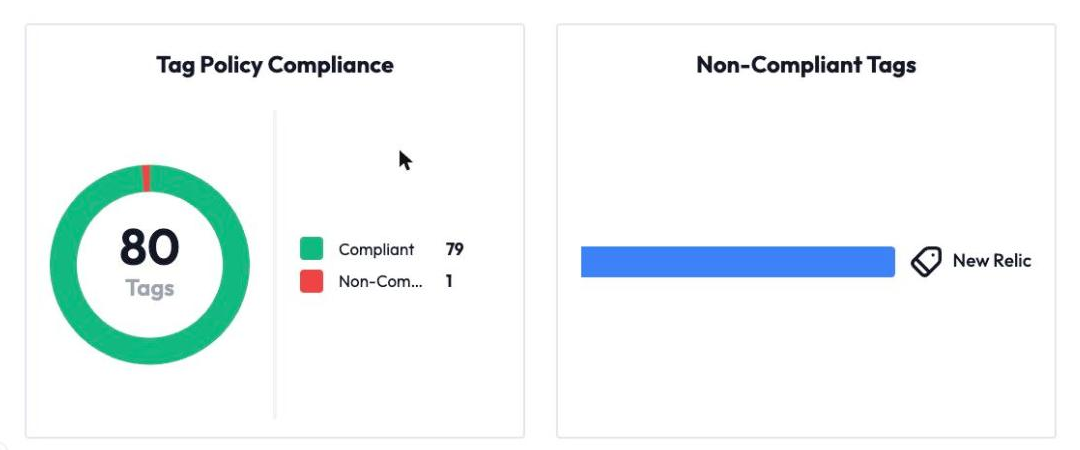
The tag that causes the incident is sometimes one nobody added on purpose: a vendor tag that piggybacked another, or a pixel a marketer dropped in directly. Mark each tag as required, allowed or not allowed, and DataTrue applies that policy to each coverage scan and alerts you when a tag breaks it. DataTrue also maps the tag hierarchy, so you can see which tag loaded which and spot a piggyback tag riding in on one you do trust.
Web and native mobile, one place
Monitor both, so there is no blind spot between your site and your apps, and no separate tool to check. See mobile app analytics testing.
How does monitoring pair with pre-publish testing?
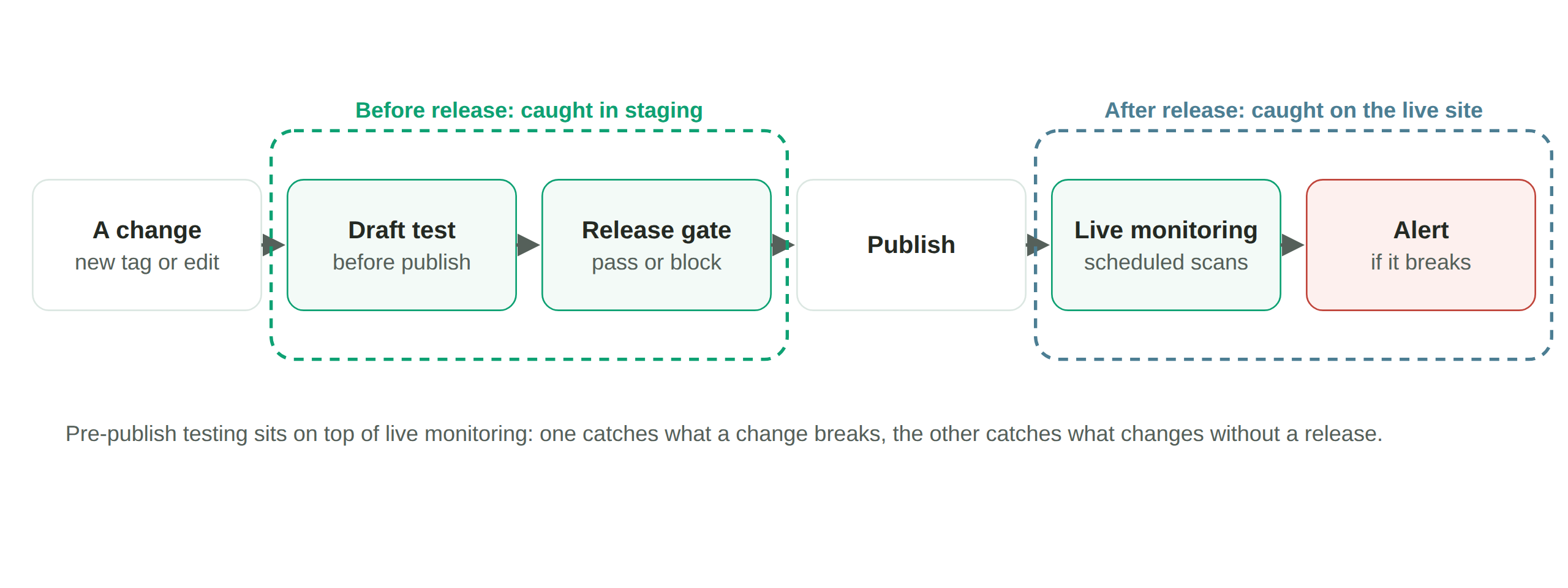
Monitoring catches what breaks in production. Pair it with pre-publish testing to stop a whole class of breakage before it ships. See pre-publish tag testing.
Nothing is installed on your site. DataTrue doesn’t ask you to add any script, tag or code to your pages, so there is nothing to remove if you stop.
Stop finding broken tags in your reports.
Start a free 30-day trialQuestions
What is continuous tag monitoring?
The ongoing, scheduled testing of the tags, pixels, and consent on your live site and apps, with alerts when a scan detects a problem.
How often does DataTrue check my tags?
On the schedule you set. You choose the cadence per suite schedule.
How fast are the alerts?
Alerts fire as soon as a scan detects a problem. How quickly you’re alerted depends on how often a test runs and how many pages it covers. A dedicated test can run about hourly.
Can it find tags added outside our tag manager?
Yes, if they’re in your tag policy. Mark each tag as required, allowed or not allowed, and each coverage scan flags a tag that breaks the policy, wherever it was added.
Does it monitor mobile apps too?
Yes, web and native mobile in one place.
Related: web analytics testing, PII leak detection, consent & cookie compliance, mobile app analytics testing, pre-publish tag testing, APIs, CI/CD & integrations. Guides: guide to tag auditing, what is a web tag. Compare: ObservePoint.
Put your tag and consent testing on a schedule
DataTrue runs coverage scans, journeys and consent checks on your live site, reads what each tag sends, and alerts your team when a result changes. There’s nothing of ours to install on your pages.
- Every page, with coverage scans
- Scheduled runs, with alerts when a result changes
- Full journeys, like checkout and signup, in each consent state
- What each tag sent, field by field
- PII detection with test personas
- iOS and Android app testing
- Pre-publish testing for GTM and Adobe Tags
- REST API, plus Slack and Jira alerts
The full platform, every feature, free for 30 days.