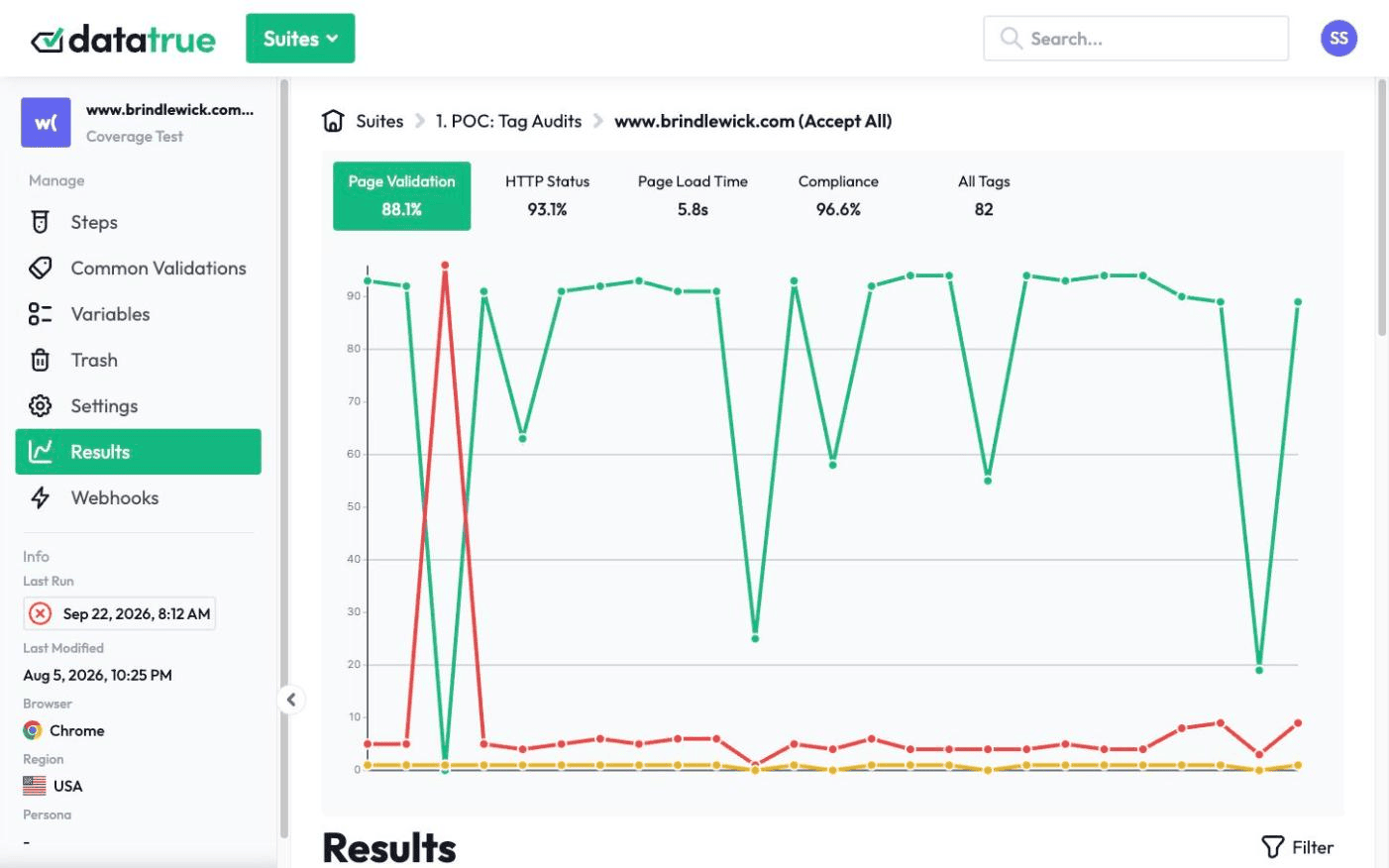
Automated analytics tag testing for your whole site
DataTrue continuously tests and monitors the analytics tags on your live website, so the numbers behind your decisions stay accurate. Run a full-site coverage scan to see what’s tagged on every page, then run journey tests that walk a checkout or signup step by step and read exactly what each tag sent. And validate new releases before they ship, so a broken tag never reaches production in the first place.
The full platform, every feature, free for 30 days.
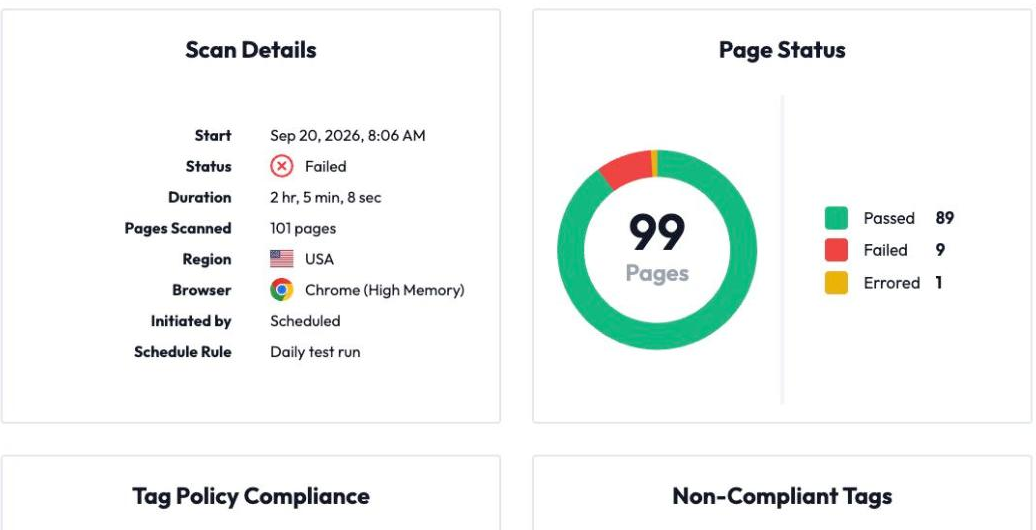
Analytics tag testing is automated QA of the tracking tags and pixels on your website, confirming they are present, fire at the right moment, and send the right data. DataTrue works at two ranges: coverage scans that check the tags on every page, and journey simulations that walk a flow like checkout and read what each tag sent.













Coverage scans: see what’s tagged on every page
Crawl your whole site and get back an inventory of what is firing: the tags, cookies, and data layer values it finds, page by page. Drill into any page for load times, tag validations, the exact payload each tag sent, and any errors written to the browser console.
Upload your solution design or your page-level tag settings as a Validation Map, and DataTrue checks the live site against what you actually intended, flagging duplicate tags and tags that break your tag policy along the way.
Journey simulation: test the flows that make you money
Coverage tells you what is on the site. Journey tests tell you whether it still works when a real person moves through it. DataTrue walks a defined path, registration, add to cart, checkout, in the browsers, devices, and even the countries your customers use, and checks exactly what each tag sent at each step and in each consent state.
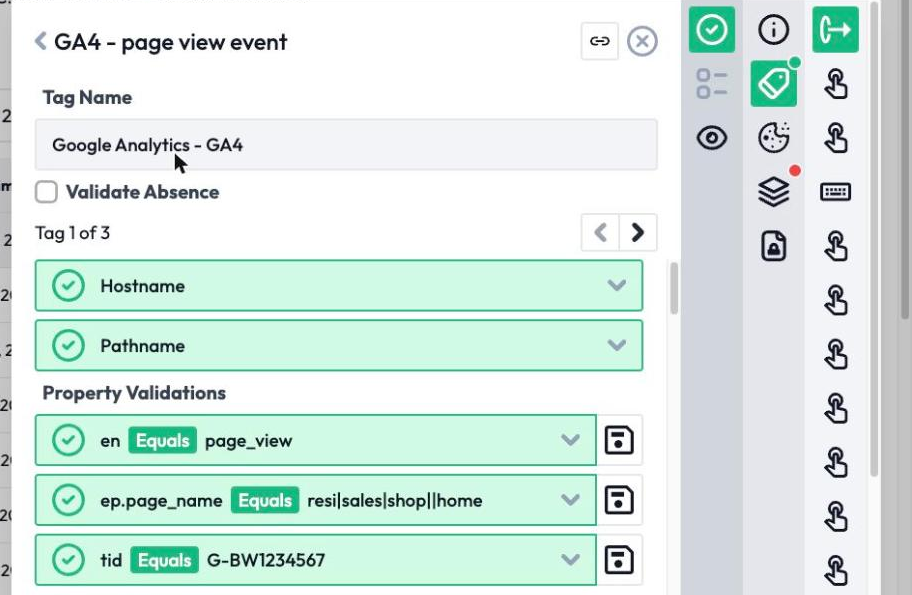
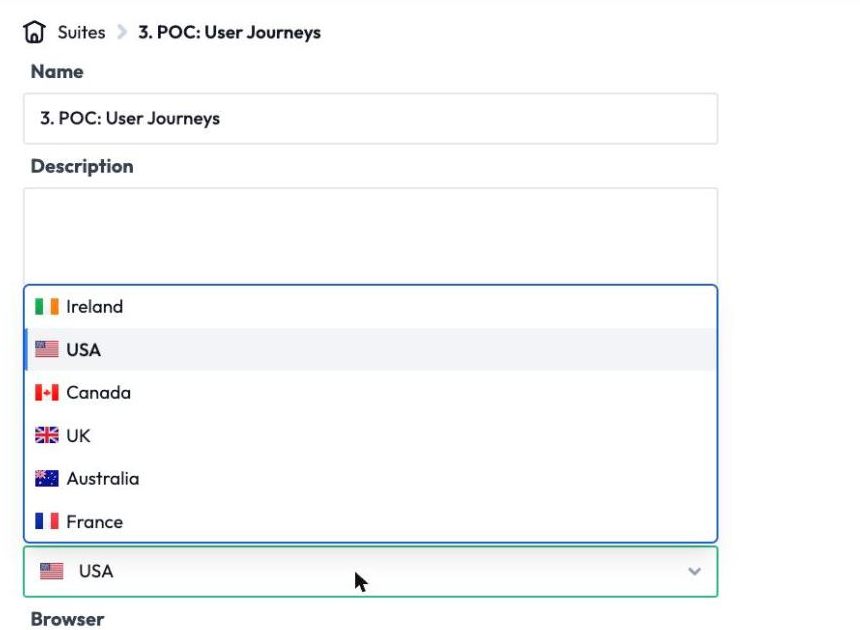
Tests can run from Ireland, the USA, Canada, the UK, Australia, and France by default. You are the first to know when a conversion tag stops firing, ahead of any bad report.
How do you build a test without code?
The reason we hear most often from teams who gave up on tag QA is setup: learning the tool, configuring it and keeping it maintained. DataTrue’s Test Builder Chrome extension records your clicks as you move through the site and turns them into an automated test, so an analyst can build one without writing code or waiting on engineering.
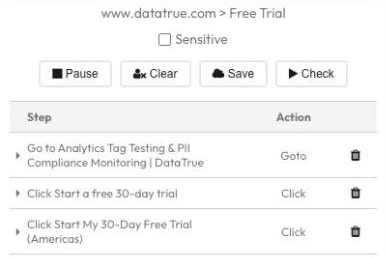
Already have a Chrome DevTools recording? Paste it straight in with Import Steps and DataTrue converts it to a test.
Tests run in real browsers
Tests run in real browsers (Chrome, Edge, Firefox, and Safari), so your tags behave as they do for real visitors, including browser-specific quirks that a headless browser or a spoofed user agent can miss.
Audit the whole solution design
Validate the pieces your analytics actually depends on: tags, cookies, data layer values, HTML data attributes, and other DOM elements. If it shows up in the network traffic a browser sees, DataTrue can assert on it.

Write tag and data layer unit tests against your solution design, so a passing test means the implementation matches the spec. See data layer validation.
Can you test tags before they go live?
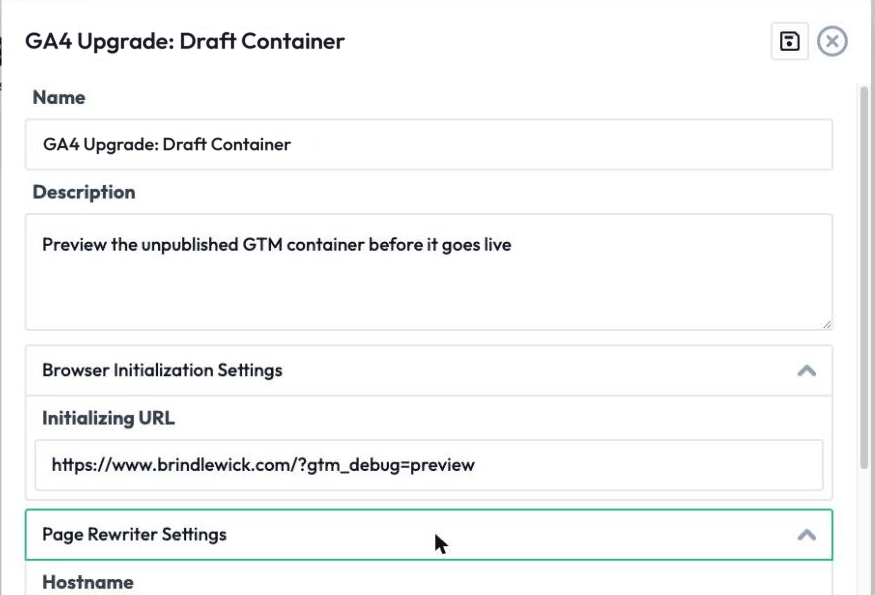
This is not a one-time scan. Schedule coverage and journey tests to re-run on the cadence you set, and get an alert as soon as a scan detects a problem. Then go one step earlier: DataTrue can run the same tests against an unpublished GTM Preview or Adobe Tags container, so you catch a broken tag or a dropped consent rule before the release goes live. See continuous monitoring & alerting and pre-publish tag testing.
Built for enterprise scale
Test across unlimited domains and apps, behind authentication (basic auth), and in staging or lower environments, with your firewall’s IP allowlist honoured. Handle iframes, AJAX content, and delayed beacons, and build a custom tag for anything DataTrue does not cover yet. Dedicated Solutions Consultants and DataTrue’s agency partners help you set it up.
Nothing is installed on your site. DataTrue doesn’t ask you to add any script, tag or code to your pages, so there is nothing to remove if you stop.
See exactly what’s firing on your own site.
Start a free 30-day trialQuestions
What is analytics tag testing?
The automated QA of the tracking tags and pixels on your website, confirming they are present, fire at the right time, and send the right data. DataTrue does this with full-site coverage scans and step-by-step journey tests.
What is the difference between a coverage scan and a journey test?
A coverage scan crawls the whole site to inventory the tags it finds. A journey test walks one flow step by step and checks each payload. You need both, coverage for breadth and journeys for depth.
Can non-technical people build tests?
Yes. The Test Builder Chrome extension records your clicks and turns them into an automated test, no code required.
Does DataTrue affect my site’s performance?
There’s nothing of ours to install on your pages. DataTrue doesn’t ask you to add any script, tag or code. Its tests do load your pages, the way a visitor’s browser would.
Can it test changes before they go live?
Yes. DataTrue can run your tests against an unpublished GTM Preview or Adobe Tags container before you publish.
New to tags? Start with what is a web tag and our guide to tag auditing. Testing apps too? See mobile app analytics testing and data layer validation. Comparing tools? See DataTrue vs ObservePoint.
Put your tag and consent testing on a schedule
DataTrue runs coverage scans, journeys and consent checks on your live site, reads what each tag sends, and alerts your team when a result changes. There’s nothing of ours to install on your pages.
- Every page, with coverage scans
- Scheduled runs, with alerts when a result changes
- Full journeys, like checkout and signup, in each consent state
- What each tag sent, field by field
- PII detection with test personas
- iOS and Android app testing
- Pre-publish testing for GTM and Adobe Tags
- REST API, plus Slack and Jira alerts
The full platform, every feature, free for 30 days.