Cookie Consent Banners: What They Are and How to Get Them Right

Summary
A cookie consent banner is the notice that asks a visitor’s permission before non-essential cookies run on your site. It tells people what cookies you use and why, and collects their choice to accept, decline, or select categories. Under laws like the GDPR, non-essential cookies cannot fire until the visitor agrees.
A banner is the visible part of cookie compliance, but it is only the promise. Whether your tags actually keep that promise is a separate matter, and the one that shows up in enforcement. This guide covers why banners matter, what makes one compliant, and the gap between displaying a banner and obeying it.
Displaying the right choices is where most banner projects stop. The last section covers how to make sure your banner actually works, by checking what your tags do after a visitor chooses.
Why cookie consent banners matter
Cookie consent banners exist because privacy laws require you to inform visitors about cookies, and in the EU and UK to obtain permission before non-essential ones run. The EU’s cookie rules require consent first, and California requires an opt-out that works, including via GPC.
The penalties are why this is not optional. Under the GDPR, serious violations can reach up to 4% of a company’s global annual revenue or 20 million euros, whichever is higher. That is the statutory maximum, and while most cookie penalties are smaller, the exposure is large enough that a banner which does not actually work is a real liability.
What makes a cookie consent banner compliant
A compliant banner has to meet specific requirements. In the EU, regulators expect the following, and they are good practice anywhere:
- Transparent information. Tell visitors what cookies you use, their purposes, and how to manage preferences, with a link to your privacy or cookie policy.
- Affirmative opt-in (in the EU). Non-essential cookies require an affirmative choice. Pre-checked boxes and “by continuing you agree” patterns do not count as valid consent.
- Granular control. Let visitors accept or reject by category, such as analytics separately from advertising, rather than an all-or-nothing choice.
- Prominent, accessible placement. The banner should be visible and usable across pages and devices, and declining should be as easy as accepting.
- Regular testing. Check that the banner behaves correctly and that consent is actually being applied, because a banner can look fine while the tags behind it ignore it.
Getting these right is what turns a banner from decoration into a control that a regulator would accept. For the specific pattern regulators are cracking down on, see consent dark patterns.
The gap between a banner and your tags
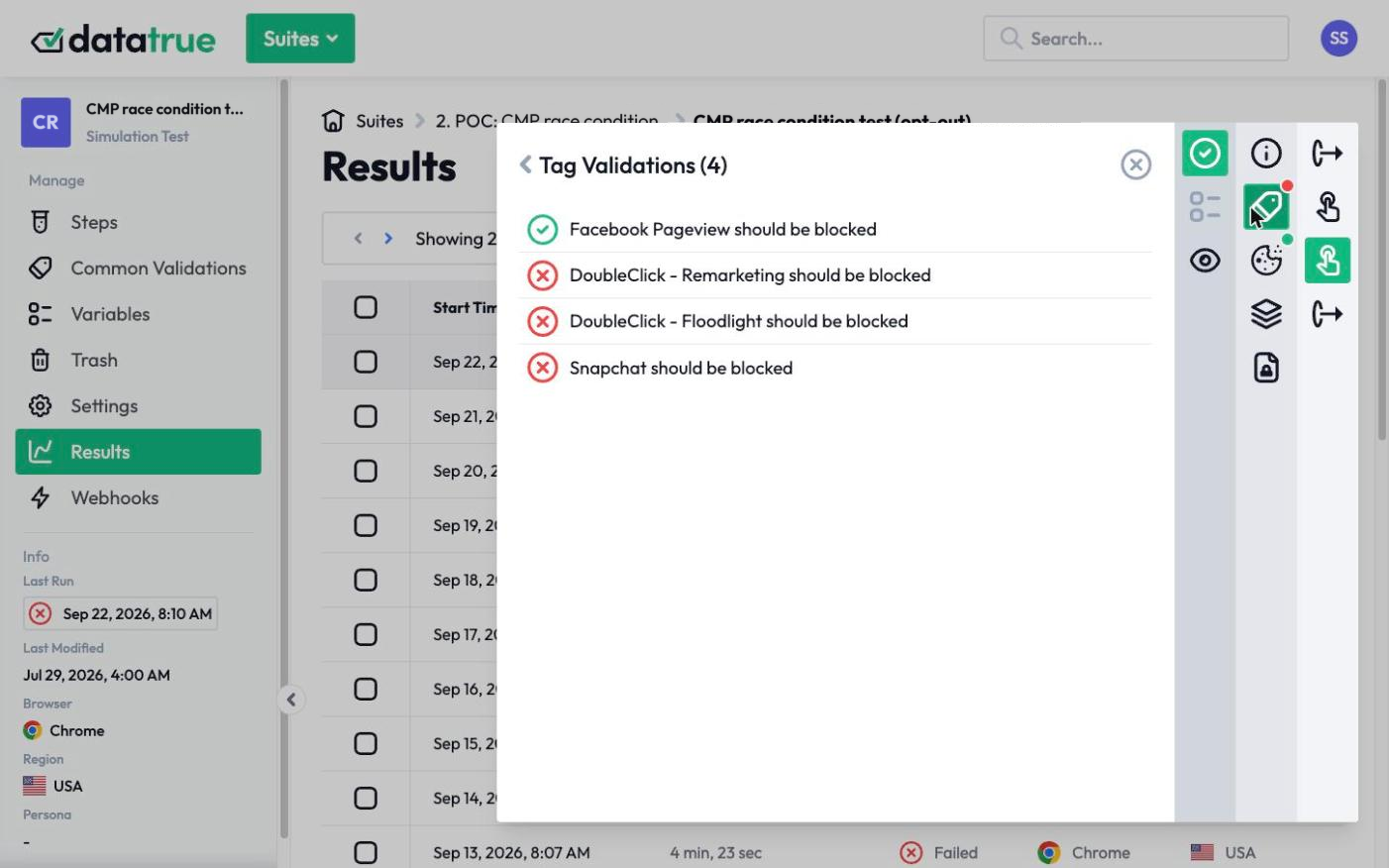
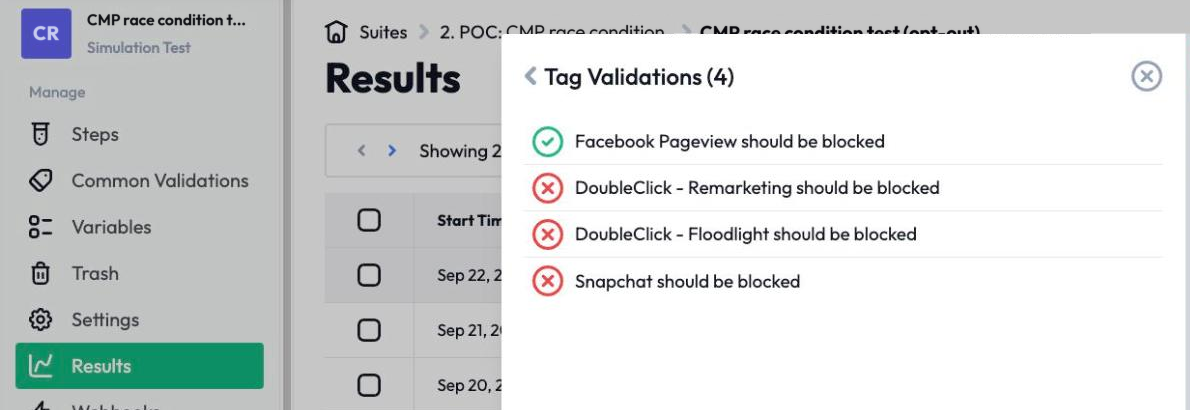
Here is the problem a banner cannot solve on its own. A banner, and the consent management platform behind it, records what a visitor chose. It does not physically stop a tag from firing. Tags hardcoded into a page, added outside your tag manager, or loaded by another vendor’s script can run regardless of what the banner recorded. So a visitor declines, the banner reports everything as blocked, and a tag keeps sending data anyway.

That is the failure that shows up in enforcement, and it is invisible from the surface. You cannot see it by looking at the banner. You have to test what the page actually sent in each consent state.
Which raises the question worth asking: does your consent platform verify that your tags actually stop once someone opts out, or does it only record the choice? Recording consent and enforcing it are two different things. See how consent verification works, and how DataTrue and OneTrust compare.
How to make sure your banner actually works
Test your site in each consent state. Load it with consent granted, declined, and by category, and confirm that nothing non-essential fires before consent and that declined tags stay off. DataTrue automates this: it runs your pages the way a real visitor would, records what every tag does under each consent choice, and gives you a timestamped record you can show a regulator.
Questions
What is a cookie consent banner?
It is the notice that asks a visitor’s permission before non-essential cookies run, telling them what cookies you use and collecting their choice to accept, decline, or select categories. Laws like the GDPR require that non-essential cookies wait until the visitor agrees.
Are cookie consent banners legally required?
In the EU and UK, yes, for non-essential cookies. In California, the requirement is an opt-out that works, including via GPC. The exact requirement varies by region, and where consent is required, non-essential cookies must not fire before the visitor agrees.
What makes a cookie consent banner non-compliant?
Common failures include pre-checked boxes, “by continuing you agree” wording, making it harder to decline than to accept, bundling all cookies into one choice, and, most importantly, tags that fire regardless of what the visitor chose. The last one is invisible on the surface and has to be tested.
Does a consent banner guarantee my site is compliant?
No. A banner records a visitor’s choice but does not enforce it. Tags added outside your tag manager or loaded by third-party scripts can fire regardless. Compliance depends on whether your tags actually honor the banner, which you can only confirm by testing each consent state.
What are the penalties for getting cookie consent wrong?
They vary by law. Under the GDPR, serious violations can reach up to 20 million euros or 4% of global annual revenue, whichever is higher. Most cookie penalties are smaller, but the exposure, combined with private lawsuits in some jurisdictions, makes a non-working banner a genuine risk.
See what your tags do in every consent state
DataTrue loads your real pages as a visitor who accepts, rejects, or sends an opt-out signal, and reads what each tag sends. A tag that ignores the visitor’s choice shows up in a test.
- Every page, with coverage scans
- Scheduled runs, with alerts when a result changes
- Full journeys, like checkout and signup, in each consent state
- What each tag sent, field by field
- PII detection with test personas
- iOS and Android app testing
- Pre-publish testing for GTM and Adobe Tags
- REST API, plus Slack and Jira alerts
The full platform, every feature, free for 30 days.