Is Google Analytics HIPAA Compliant?

Summary
VerdictNo.
No. Google Analytics is not HIPAA compliant. Google does not sign a business associate agreement, or BAA, for Google Analytics, and states that it makes no representation the product meets HIPAA requirements. A HIPAA-covered organization cannot send protected health information, or PHI, to Google Analytics, which rules out using it on any page that handles PHI.
HIPAA is the US health privacy law. It covers healthcare providers, health plans, and their business associates. A BAA is the contract HIPAA requires before one of those organizations can disclose PHI to a vendor without the patient’s authorization. The disclosure also needs a permission under the HIPAA Privacy Rule, and Google says it does not offer a BAA for Google Analytics.
The sections below explain the reason, what counts as PHI on your website, and what the HHS guidance says now. They finish with how to check whether your setup is exposed, and what to do instead.
Why Google Analytics is not HIPAA compliant
The reason is contractual, not technical. Google’s own Analytics documentation states that Google “does not offer Business Associate Agreements in connection with” Google Analytics and “makes no representations that Google Analytics satisfies HIPAA requirements.” Google instructs customers to refrain from using Google Analytics in any way that would create HIPAA obligations for Google, and to keep PHI out of the product entirely.
That closes the question for a covered entity. Disclosing PHI to a tracking vendor without the patient’s authorization requires a signed BAA and a permission under the HIPAA Privacy Rule. A vendor agreeing to remove or de-identify PHI before saving it is not enough. If the vendor will not sign a BAA, there is no compliant way to send it PHI without authorization. This applies to GA4, the current version, the same way it applied to the older Universal Analytics.
What counts as PHI on your website?
PHI is individually identifiable health information held or transmitted by a covered entity or its business associate. On a website, it shows up in more places than teams expect.
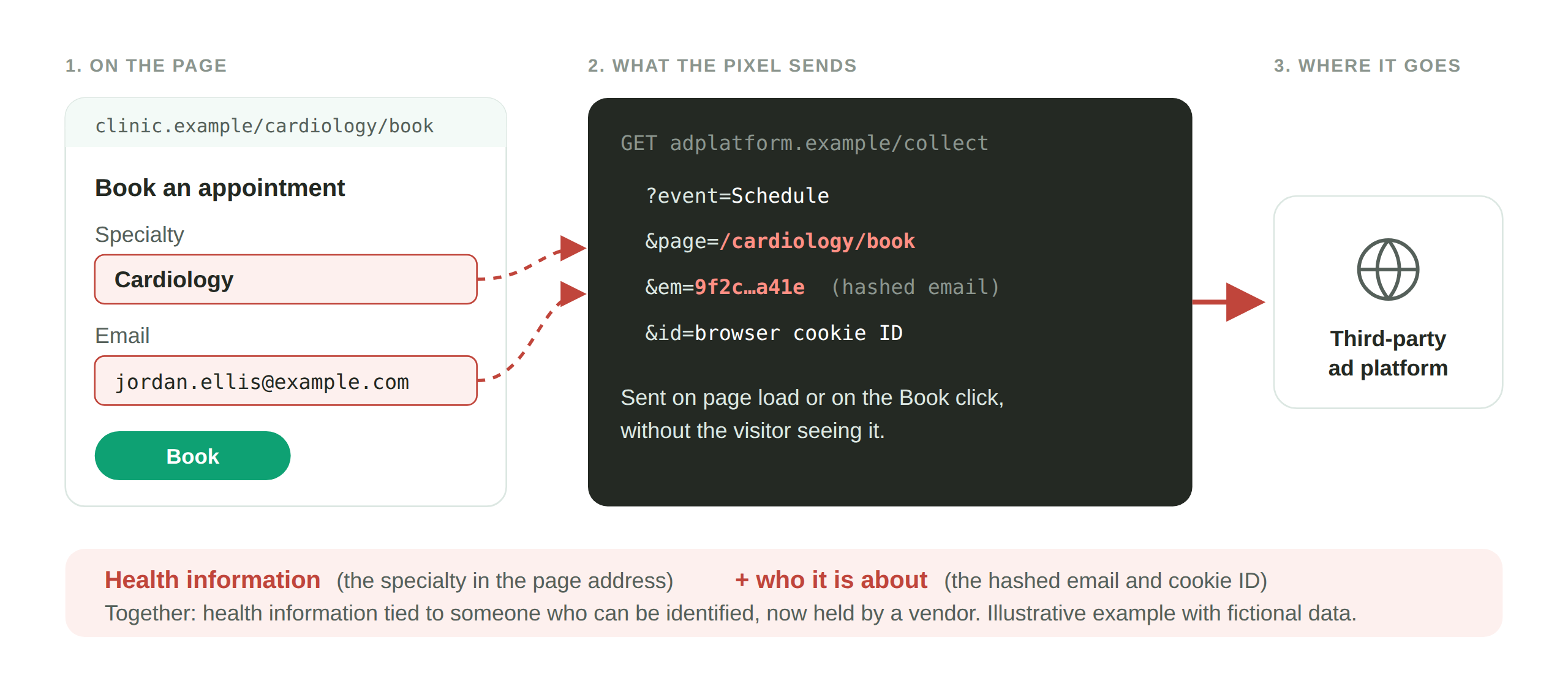
On authenticated pages, such as a patient portal or a logged-in appointment scheduler, a tracking tag can see appointment dates, record numbers, provider names, and other details tied to a known individual. HHS’s stated position, in its guidance last revised March 18, 2024, is that tracking technologies on authenticated pages generally have access to PHI, and Google tells HIPAA-regulated customers not to tag authenticated pages.
On unauthenticated pages, PHI can still appear when a visitor enters information. HHS’s own examples, in that guidance, are an appointment form, a symptom checker, and a login or registration page. Similar tools, such as a “find a doctor for X condition” search, can also transmit what the person typed along with identifiers that point back to them.
The common thread is that health information plus something that identifies the person, sent to a tag, is a disclosure. If that tag belongs to a vendor with no BAA, the disclosure has no lawful basis.
What the HHS guidance says now
HHS Office for Civil Rights, which enforces HIPAA, published guidance on online tracking technologies (December 1, 2022, revised March 18, 2024) stating that covered entities may not disclose PHI to tracking vendors without the patient’s authorization unless a BAA is in place and a Privacy Rule permission applies. On June 20, 2024, a federal court in AHA v. Becerra declared unlawful and vacated one part of that guidance, the position that an IP address combined with a visit to an unauthenticated page about a health condition is automatically treated as PHI. HHS appealed the ruling and then withdrew the appeal on August 29, 2024, so the ruling stands and that part of the bulletin is vacated.
The rest of the bulletin was not vacated. It remains HHS’s stated position as of its March 18, 2024 revision, and HHS says it is evaluating next steps. Tracking on authenticated pages typically involves PHI, and disclosures that tie a real person to their health information are still PHI under HIPAA. The 2024 decision did not change the rule that disclosing PHI to a vendor without authorization needs a BAA and a Privacy Rule permission, and Google still offers no BAA for Google Analytics.
How to check whether your Google Analytics setup is exposed
The practical question is not whether Google Analytics can be HIPAA compliant, it cannot, but whether your site is sending it PHI without anyone realizing. That is a testing question.
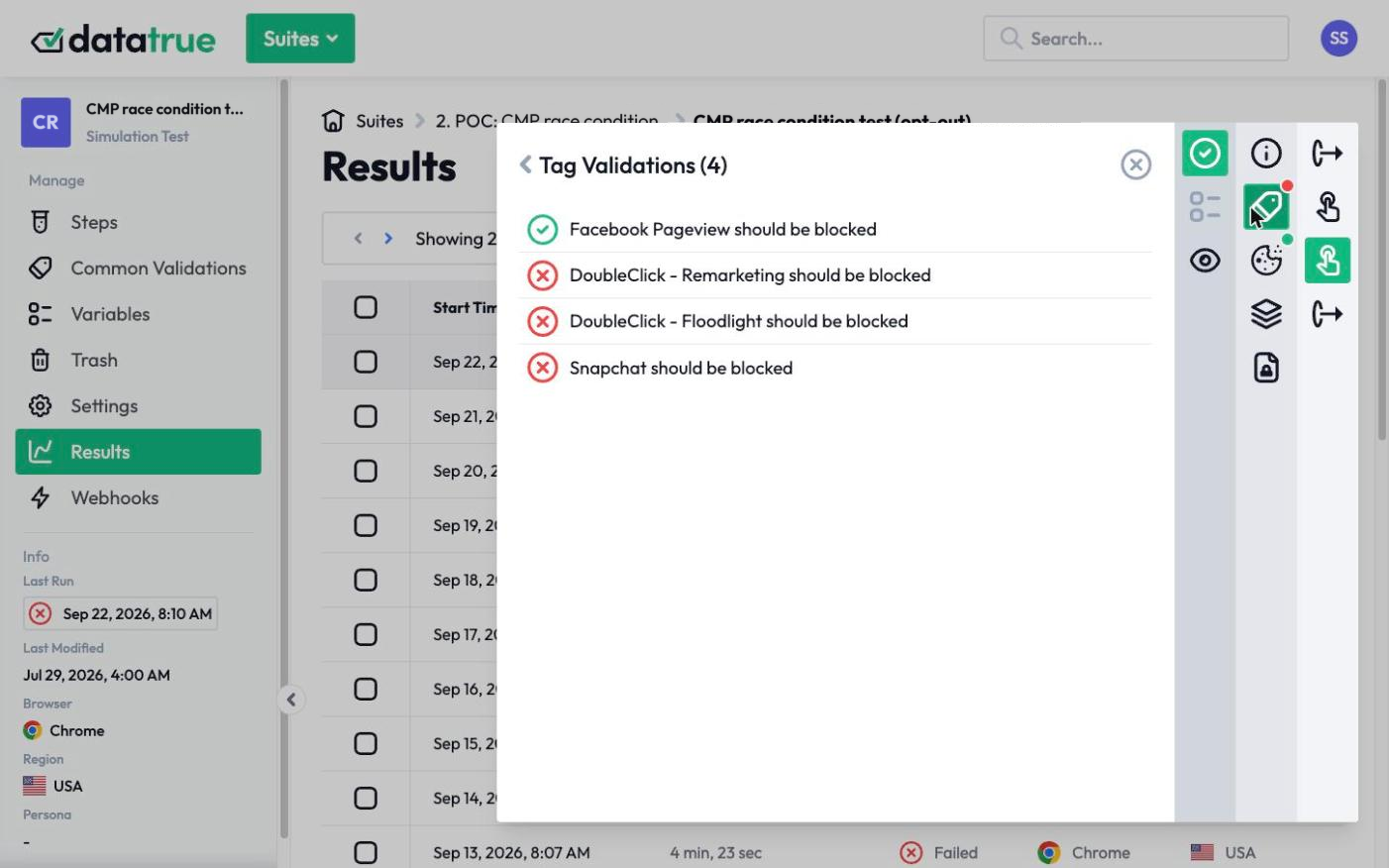
DataTrue answers it by running your site the way a visitor would, in a real browser, and inspecting what every tag transmits. Sensitive Data Detection watches tag payloads for personal and health data, and because it uses fictitious personas, invented profiles with fake names and details, we can test a patient portal or an intake form for a leak without ever using a real person’s health information. A Coverage test crawls the whole site and reports which tags send data to Google on every page, including tags added outside your tag manager, and a Simulation test walks an intake or scheduling journey step by step to catch what fires at each stage. The result is a timestamped record of exactly which tags carried PHI, on which pages.
That record tells a HIPAA compliance officer where the exposure is, and shows when the tag stopped sending the data. DataTrue gives teams tools to help them become and stay compliant. It does not certify HIPAA compliance.
What to do instead
Keep Google Analytics off any page that handles PHI, and confirm with testing that it is actually off those pages rather than assuming. For measurement on PHI pages, use an analytics arrangement where a BAA is in place and the vendor supports HIPAA use. Whatever the setup, verify what your tags actually send, because the exposure comes from real payloads, not from the tool’s name.
See how consent and PII verification works
For enforcement examples involving health data and tracking pixels, see our Enforcement Watch tracker.
Questions
Is Google Analytics HIPAA compliant?
No. Google does not sign a business associate agreement for Google Analytics and makes no representation that it meets HIPAA requirements. A HIPAA-covered organization cannot send protected health information to Google Analytics, which means it cannot be used on pages that handle PHI.
Can I make Google Analytics HIPAA compliant with a BAA?
No. Without the patient’s authorization, HIPAA requires a signed BAA and a Privacy Rule permission before PHI is disclosed to a vendor, and Google does not offer a BAA for Google Analytics. Without that contract, there is no compliant way to send it PHI.
Is GA4 different from Universal Analytics for HIPAA?
No. The barrier is the absence of a BAA, and that applies to GA4 the same way it applied to Universal Analytics. The version does not change the answer.
Can a hospital or telehealth site use Google Analytics at all?
Only on pages that do not handle PHI, and only when you have confirmed those pages are not sending health information or identifiers to Google. Marketing pages with no health context and no logged-in data can use it. Patient portals, schedulers, and intake forms cannot.
Does IP anonymization make Google Analytics HIPAA compliant?
No. IP anonymization does not create a BAA and does not remove other identifiers or the health information itself. It reduces one data point. It does not make the product HIPAA compliant.
See what your tags do in every consent state
DataTrue loads your real pages as a visitor who accepts, rejects, or sends an opt-out signal, and reads what each tag sends. A tag that ignores the visitor’s choice shows up in a test.
- Every page, with coverage scans
- Scheduled runs, with alerts when a result changes
- Full journeys, like checkout and signup, in each consent state
- What each tag sent, field by field
- PII detection with test personas
- iOS and Android app testing
- Pre-publish testing for GTM and Adobe Tags
- REST API, plus Slack and Jira alerts
The full platform, every feature, free for 30 days.