GDPR for Analytics and Marketing Tags
Summary
The GDPR requires a lawful basis before any analytics or marketing tag processes a person’s data, and for these tags that basis is almost always consent, collected before the tag fires. A tag that loads before agreement is processing without a basis. Fines can reach 20 million euros or 4 percent of worldwide annual turnover, whichever is higher.
This page is about tags specifically, not the GDPR in general. The rules that matter for a marketing or analytics team come down to when a tag may fire, what it may collect, and what has to be true about the consent behind it.
The sections below cover what the GDPR requires of your tags, which articles apply, and the consent standard your tags have to meet. The last section shows how to verify your tags meet the GDPR.
What the GDPR requires of your tags
Every tag that collects data about an identifiable person is “processing personal data,” which the GDPR only permits with a lawful basis. EU regulators, through the European Data Protection Board (EDPB), say legitimate interest can’t be the basis for setting or reading cookies, and analytics and advertising tags typically do both. So the working rule is simple: the tag needs the visitor’s consent, and it needs it before it fires.
Personal data here is broader than a name or email. An online identifier, a cookie ID, an advertising ID, or an IP address can be personal data, because combined with other information it can single a person out. That is why analytics and pixel tags are squarely within the GDPR even when no name is involved.
Which articles apply to tags?
Five parts of the GDPR do the work in tag cases.
Article 6 (lawful basis). No tag may process personal data without a valid basis. For analytics and advertising tags, that basis is consent.
Article 7 (conditions for consent). Consent has to be freely given, specific, informed, and unambiguous. Pre-ticked boxes don’t count, and withdrawing consent must be as easy as giving it.
Article 9 (special category data). Health, biometric, and other sensitive data need explicit consent, a higher bar. A tag that picks up health information from a page is in this territory.
Article 25 (data protection by design and by default). Systems must be set up not to collect by default, which is the opposite of a tag that fires before anyone chooses anything.
Article 83 (fines). Up to 20 million euros or 4 percent of worldwide annual turnover, whichever is higher, for breaches such as processing without a lawful basis.
The consent standard tags have to meet
The GDPR’s consent bar is specific, and most tag failures are failures against it rather than against some obscure rule.

Consent must come before the tag fires, not after the page has already loaded it. It must be a real choice, and EU regulators, through the EDPB, say a banner needs a reject option wherever it has an accept button. It must be specific, so a visitor who accepts analytics but not advertising has their advertising tags stay off. And it must be withdrawable, with withdrawal honored by the tags going forward.
Two related pieces have their own pages. The requirement to get consent before a cookie or tag touches the device comes from the EU cookie rules. See the ePrivacy cookie law. Whether a specific tool like Google Analytics can send EU data to the US is a transfer question. See is Google Analytics GDPR compliant?
How to verify your tags meet the GDPR
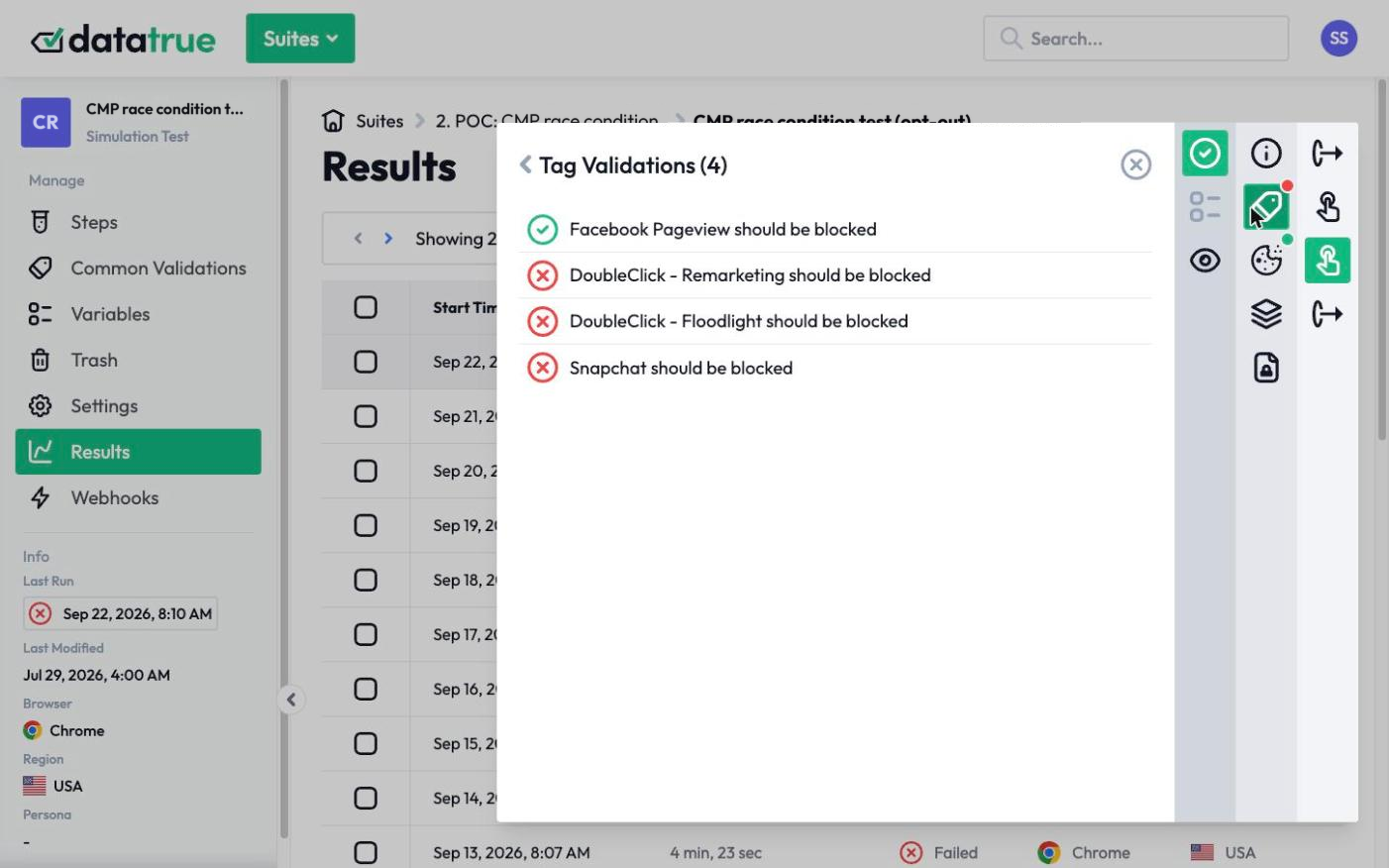
The core requirement, consent before firing and per-category, is behavior you can test. DataTrue loads your site in a real browser, in each consent state, and records what every tag does: whether anything fires before consent, whether a tag ignores a declined category, and what each tag transmits. Sensitive Data Detection checks the payloads with fictitious personas for personal and special-category data, so you can confirm no tag is collecting more than the visitor allowed, without using a real visitor. The result is a timestamped record you can show a data protection authority.
See how consent verification works
This law is part of our EU website tracking compliance and UK website tracking compliance hubs.
Questions
What does the GDPR require for analytics tags?
A lawful basis before the tag processes personal data, which for analytics and advertising tags is consent collected before the tag fires. The consent must be freely given, specific, informed, and unambiguous, and withdrawing it must be as easy as giving it. EU regulators also expect a reject option wherever there is an accept button.
Can I use legitimate interest instead of consent for analytics?
In practice, no, for analytics and advertising tags that set or read cookies. EU regulators, through the EDPB, say legitimate interest can’t be the basis for setting or reading cookies, and the EU cookie rules require consent before a tag accesses the device unless that access is strictly necessary. Consent is the working basis.
Is an IP address or cookie ID personal data under the GDPR?
It can be. An online identifier such as an IP address, cookie ID, or advertising ID can be personal data, because combined with other information it can single a person out. That is why analytics and pixel tags fall under the GDPR even when no name is collected.
What are the fines for getting tag consent wrong?
Up to 20 million euros or 4 percent of worldwide annual turnover, whichever is higher, under Article 83, for breaches such as processing without a lawful basis. Tags firing before consent and tags ignoring a visitor’s choice are both failures that testing can catch.
See what your tags do in every consent state
DataTrue loads your real pages as a visitor who accepts, rejects, or sends an opt-out signal, and reads what each tag sends. A tag that ignores the visitor’s choice shows up in a test.
- Every page, with coverage scans
- Scheduled runs, with alerts when a result changes
- Full journeys, like checkout and signup, in each consent state
- What each tag sent, field by field
- PII detection with test personas
- iOS and Android app testing
- Pre-publish testing for GTM and Adobe Tags
- REST API, plus Slack and Jira alerts
The full platform, every feature, free for 30 days.