How to Unit Test Data Layer Tags
Summary
Data layer unit testing is a way to verify that the right tags fire, with the right data, when a specific data layer event happens, including edge cases you cannot easily reproduce on a live site. Instead of manually stepping through the site, you force the data layer to update in a test and assert on the tags that fire.
The sections below explain what data layer unit testing is, why it is worth doing, and how to unit test a data layer event. They finish with the edge cases you can test this way, and how to test your data layer tags before they reach production.
What is data layer unit testing?
A data layer brings real advantages: better data consistency, improved reliability, and more flexibility in sending data to different analytics vendors. It also adds one more possible failure point in your analytics pipeline, which means you need to test it regularly to be sure it collects and sends complete, accurate data.
Validating the values passed from your data layer to your tag manager is one half of that, covered in our data layer testing guide. Data layer unit testing is the other half: verifying that the data layer fires the correct tags in response to user actions. For a primer on the data layer itself, see what is a data layer.
Why unit test data layer tags?
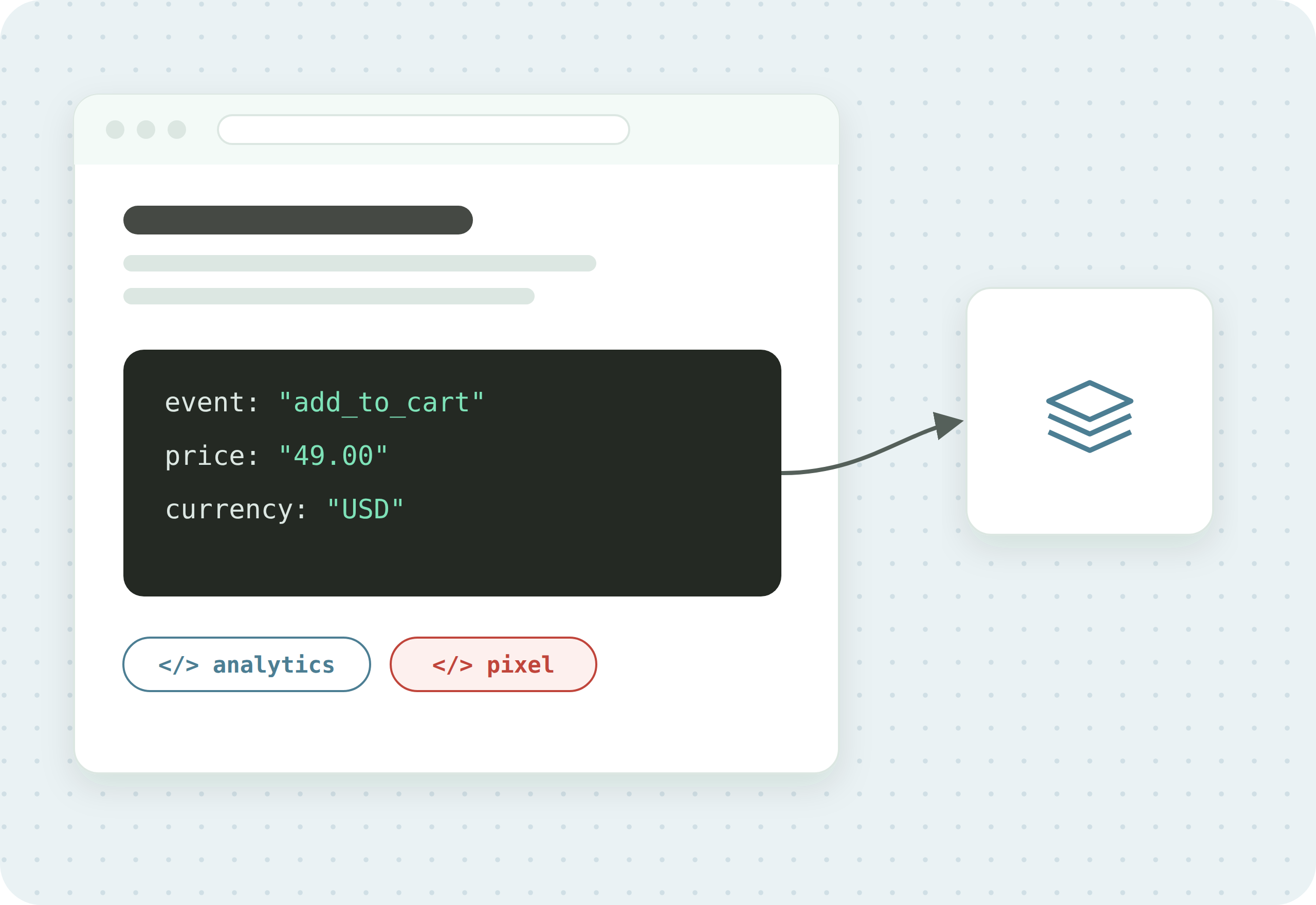
When a customer adds an item to their cart, you want your data layer to record that event, along with details like item name, price, and quantity, and fire a tag to pass that information to your analytics tools. If the tag does not fire, or fires incorrectly, you can be missing critical data.
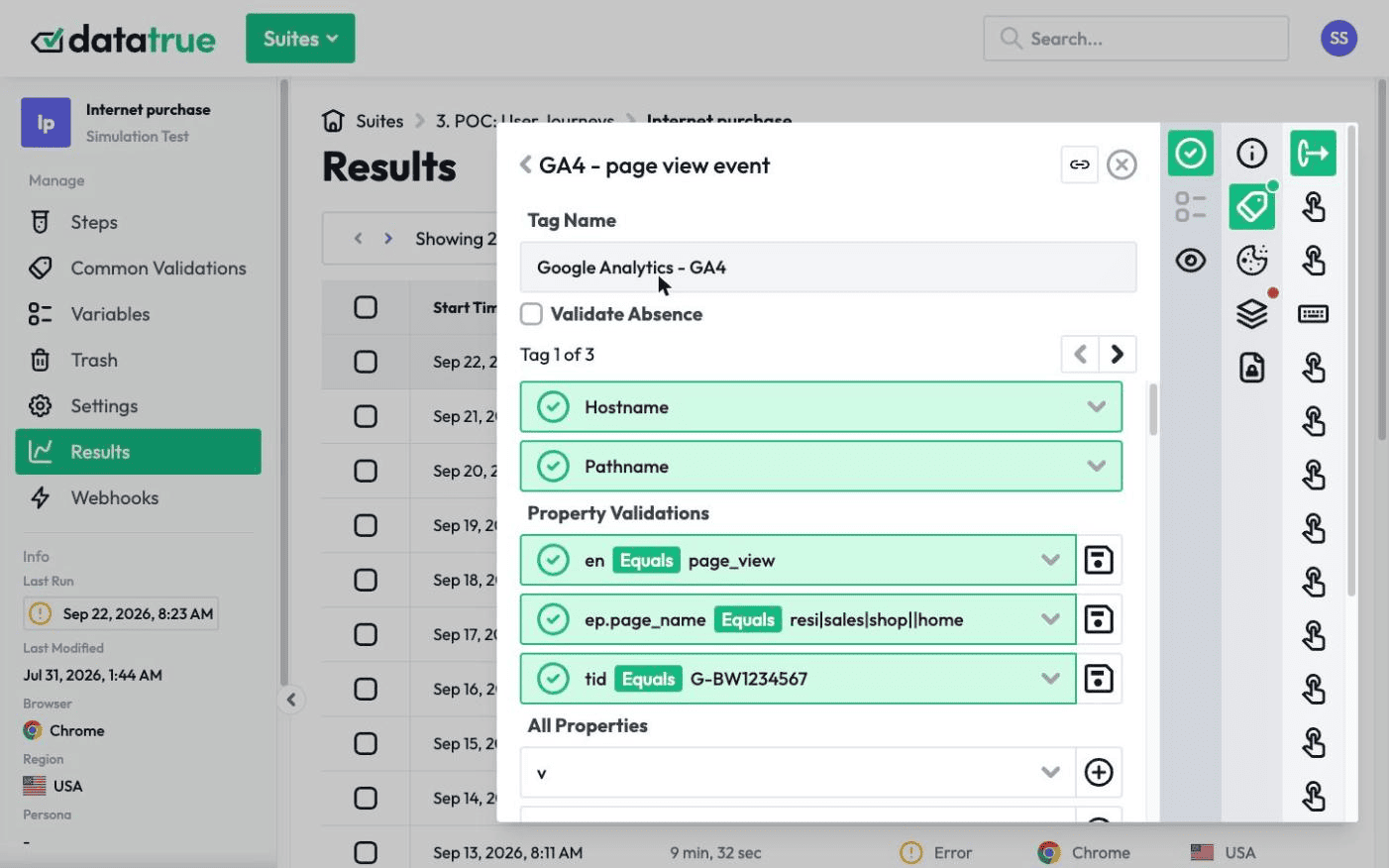
You can trigger some data layer updates by visiting your site and stepping through the actions manually, or more efficiently by running a Simulation Test. But some scenarios are difficult or impossible to test directly:
- Edge cases, such as out-of-stock products or missing and misformatted product data.
- Updates that occur only in controlled areas or pages, such as order confirmation.
- Updates from workflows that are not yet built or stable in production.
For these, you need a way to force the data layer to update so you can verify the correct tags fire in response.
How do you unit test a data layer event?
The approach is to force the event in a controlled test and then assert on the tag that should fire.
- Add a Run Script step to a Simulation Test. The Run Script step pushes the target event and its data into the data layer, whether or not the action was actually completed on the page. For an “add to cart” scenario, the script might look like this:
// Run Script step: force the data layer to fire an addToCart event dataLayer.push({ event: "addToCart", ecommerce: { items: [ { item_name: "Camo Hoodie", item_id: "SKU_12345", price: 49.00, quantity: 1 } ] } });- Add a Tag Validation to the Run Script step. With the event forced, the Tag Validation checks that the expected tag fires when the data layer updates, and that it carries the right data.
- Add more Run Script steps for variations and edge cases. You can add as many Run Script steps as you need to test variations of the event (such as adding multiple products), related events (such as removing an item from the cart), and the edge cases and controlled-area actions that are hard to complete on a live site.
What edge cases can you test this way?
Because you force the data layer directly, you can cover situations you could not reliably reach by clicking through the site:
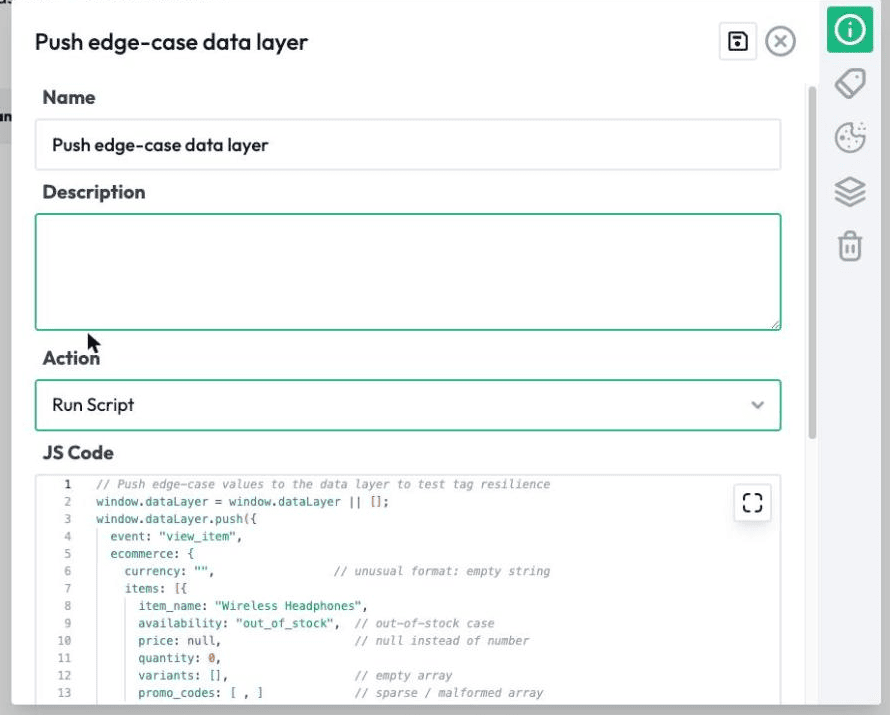
- Out-of-stock products, and missing or misformatted product data.
- Updates that only happen on controlled pages, such as an order-confirmation page.
- Workflows that are not yet in production, or not yet stable, so you can test them before launch.
This is also why data layer unit testing fits a developer or CI/CD workflow: you can assert on tag behaviour as part of a build, before changes reach production.
Use DataTrue for data layer unit testing
DataTrue’s Simulation Tests, with Run Script steps and Tag Validations, are how you force a data layer event and confirm the right tags fire with the right data. This pairs with automated data layer testing for validating the values themselves, and with the tag audit guide for the broader health of your tags. DataTrue also supports pre-publish testing and CI/CD integration, so these checks can run before a release.
Test your data layer tags before they reach production
DataTrue lets you force data layer events and assert on the tags that fire, on your live site and in a build, so you can catch a broken tag before it costs you data. See how it works on the web analytics testing page.
Questions
What is data layer unit testing?
Data layer unit testing verifies that the right tags fire, with the right data, when a specific data layer event happens. Instead of stepping through the site manually, you force the data layer to update in a test and assert on the tags that fire, including edge cases you cannot easily reproduce live.
How is data layer unit testing different from data layer testing?
Data layer testing validates the values passed from your data layer to your tag manager. Data layer unit testing verifies that the data layer fires the correct tags in response to an event. One checks the data is right, the other checks the right tags react to it.
How do you test an edge case that is hard to reproduce?
You add a Run Script step to a Simulation Test that pushes the event and its data straight into the data layer, whether or not the action was completed on the page, then add a Tag Validation to confirm the expected tag fires. This lets you cover out-of-stock products, order-confirmation pages, and workflows not yet in production.
What is a Run Script step?
A Run Script step is a step in a DataTrue Simulation Test that runs JavaScript, such as a dataLayer.push(), to force the data layer into a specific state. You then attach a Tag Validation to check the tag that should fire in response does fire correctly.
Know what your tags send, page by page
DataTrue runs real journeys on your site and checks each tag’s data against what you expect, field by field. A missing event or a wrong value shows up in a test before it reaches a report.
- Every page, with coverage scans
- Scheduled runs, with alerts when a result changes
- Full journeys, like checkout and signup, in each consent state
- What each tag sent, field by field
- PII detection with test personas
- iOS and Android app testing
- Pre-publish testing for GTM and Adobe Tags
- REST API, plus Slack and Jira alerts
The full platform, every feature, free for 30 days.