What Is a Cookie Audit? Methods and a 6-Step Checklist
Summary
A cookie audit is a systematic review of every cookie your website sets: what each one is, what it does, who placed it, and whether it complies with the privacy laws that apply to you. It confirms that the cookies on your pages work as intended and are legally allowed to be there.
Cookies accumulate quietly. Your own team adds some, a tag manager adds others, and third-party scripts drop cookies you never chose. A cookie audit is the process that turns that unknown into an inventory you can defend. This guide explains what cookies are, the types you will find, how automatic and manual audits differ, and a 6-step checklist.
A list of cookies is only part of the picture. The final section covers the check most cookie audits skip.
What are cookies and how do they work?
Cookies are short pieces of text sent from a website to a browser that record information about the user. The browser stores the cookie and sends it back to the site on later visits, which is how a site remembers you are logged in, what is in your cart, or which language you chose. Each cookie is small, typically capped at around 4KB (4,096 bytes), but a single site can set dozens of them.
What are cookies used for?
Cookies serve several purposes:
- Functionality: remembering logins, cart contents, and preferences.
- Security: helping detect fraudulent activity and protect accounts.
- Analytics: measuring how people use the site, such as pages visited and time on page.
- Advertising: enabling targeted ads and measuring campaigns.
- Personalization: tailoring content to a returning visitor.
The analytics and advertising uses are where compliance risk concentrates, because those cookies often involve third parties and personal data.
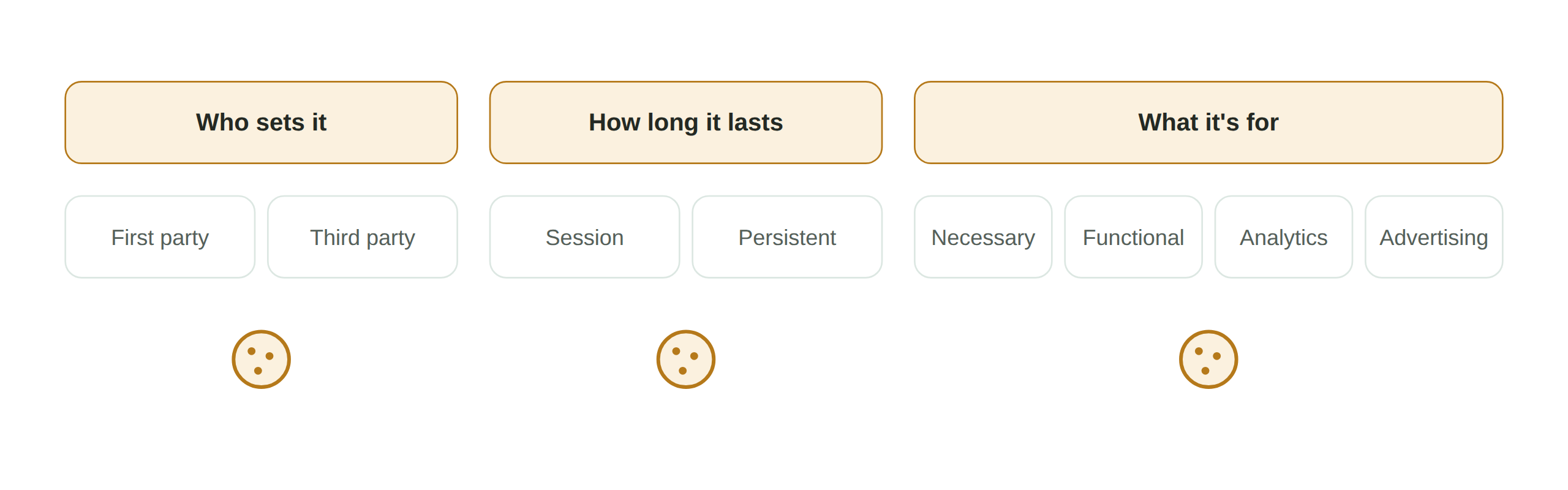
The three ways cookies are classified
First-party vs third-party cookies
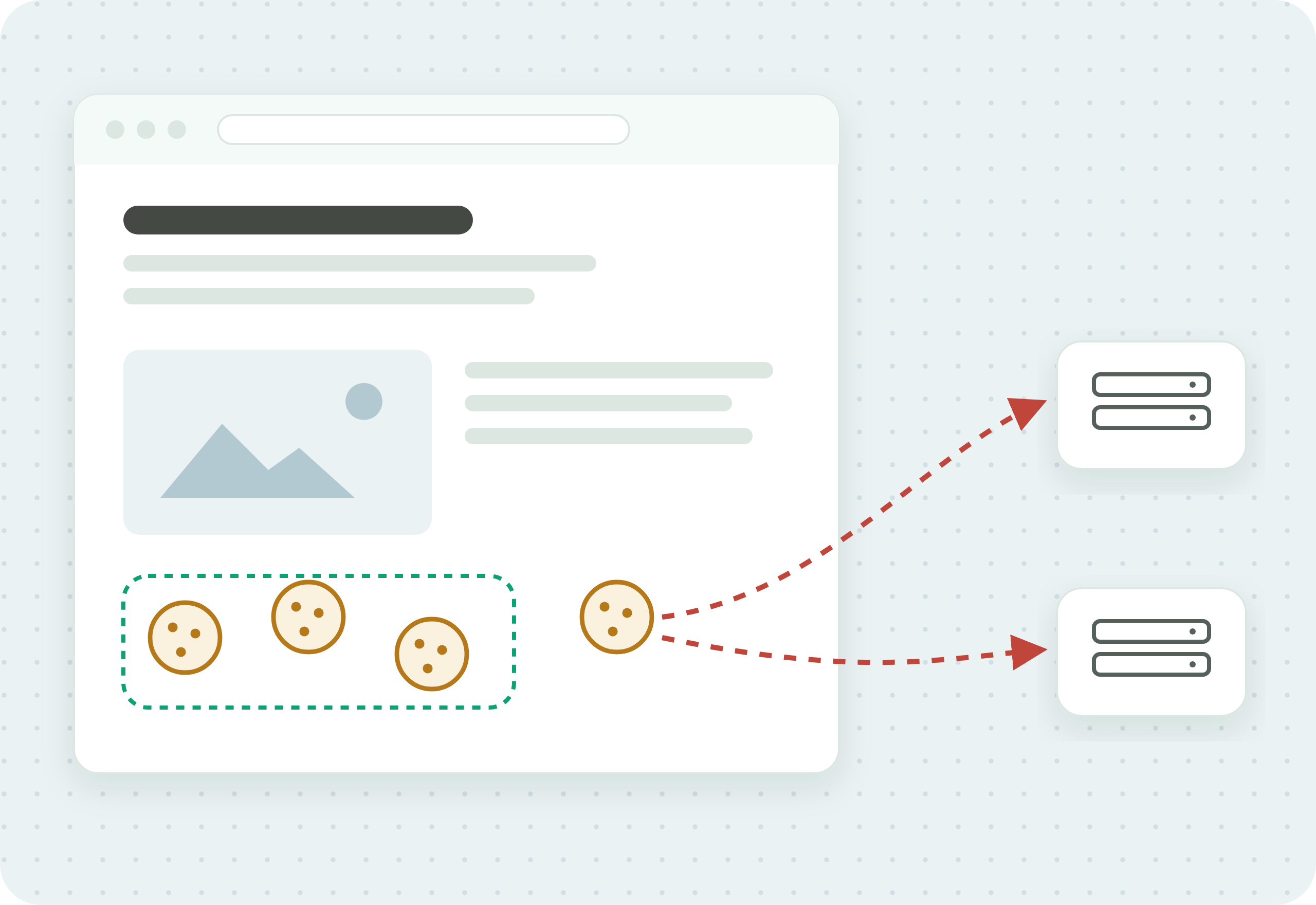
First-party cookies are set by the site you are visiting. Third-party cookies are set by another domain, usually an advertiser or analytics provider whose script runs on the page. Third-party cookies raise the most privacy concern, because they enable tracking a person across multiple sites.
Essential vs non-essential cookies
Essential (or strictly necessary) cookies are required for the site to function, like keeping you logged in or holding a cart. Non-essential cookies cover analytics, advertising, and personalization. The distinction matters legally: EU and UK cookie rules let essential cookies run without consent but require consent before non-essential ones fire.
Session vs persistent cookies
Session cookies last only until you close the browser. Persistent cookies stay for a set period, from days to years, and are what let a site recognize you on a return visit. Persistent tracking cookies raise the most privacy concern because of how long they follow a person.
What is a cookie audit?
A cookie audit is a process by which website owners can ensure cookies are effective and legally compliant. It answers three questions: which cookies does the site set, what does each one do and where does it send data, and is each one allowed to run under the consent the visitor gave. You can run an audit automatically with a tool or manually by hand, and most teams use a mix.
How to conduct an automatic cookie audit
An automatic audit uses a tool to load your site and record every cookie that appears, which is faster and more complete than checking by hand. A good automatic audit covers three things:

Enhanced cookie discovery. The tool finds cookies you would miss manually, including ones set by third-party scripts and cookies that only appear after a specific interaction.
Cookie policy audit. It checks the cookies actually running against the cookie policy you publish, so you can catch the common problem of a policy that no longer matches reality.
Consent validation. It confirms that non-essential cookies do not fire before the visitor consents, and that they stop when a visitor declines. This is the step that connects a cookie audit to real compliance, because a cookie inventory that ignores consent state does not prove anything.
How to conduct a manual cookie audit
A manual audit is slower but useful for spot checks and for understanding what a tool reports. These six steps work either way.
Step 4: Ensure compliance
Check each non-essential cookie against the consent rules that apply to your visitors. Confirm nothing non-essential fires before consent, and that declining consent actually stops it.
Automatic cookie audit vs manual cookie audit
A manual audit is fine for a small, stable site or a one-time check, but it is slow and easy to get wrong, because it captures only the cookies present at the moment you look. An automatic audit runs continuously, catches cookies that appear only after an interaction, and can validate consent state, which manual checking cannot do reliably. Automatic auditing is the reliable standing control, and manual checks are useful for investigating specific findings.
The check most cookie audits skip
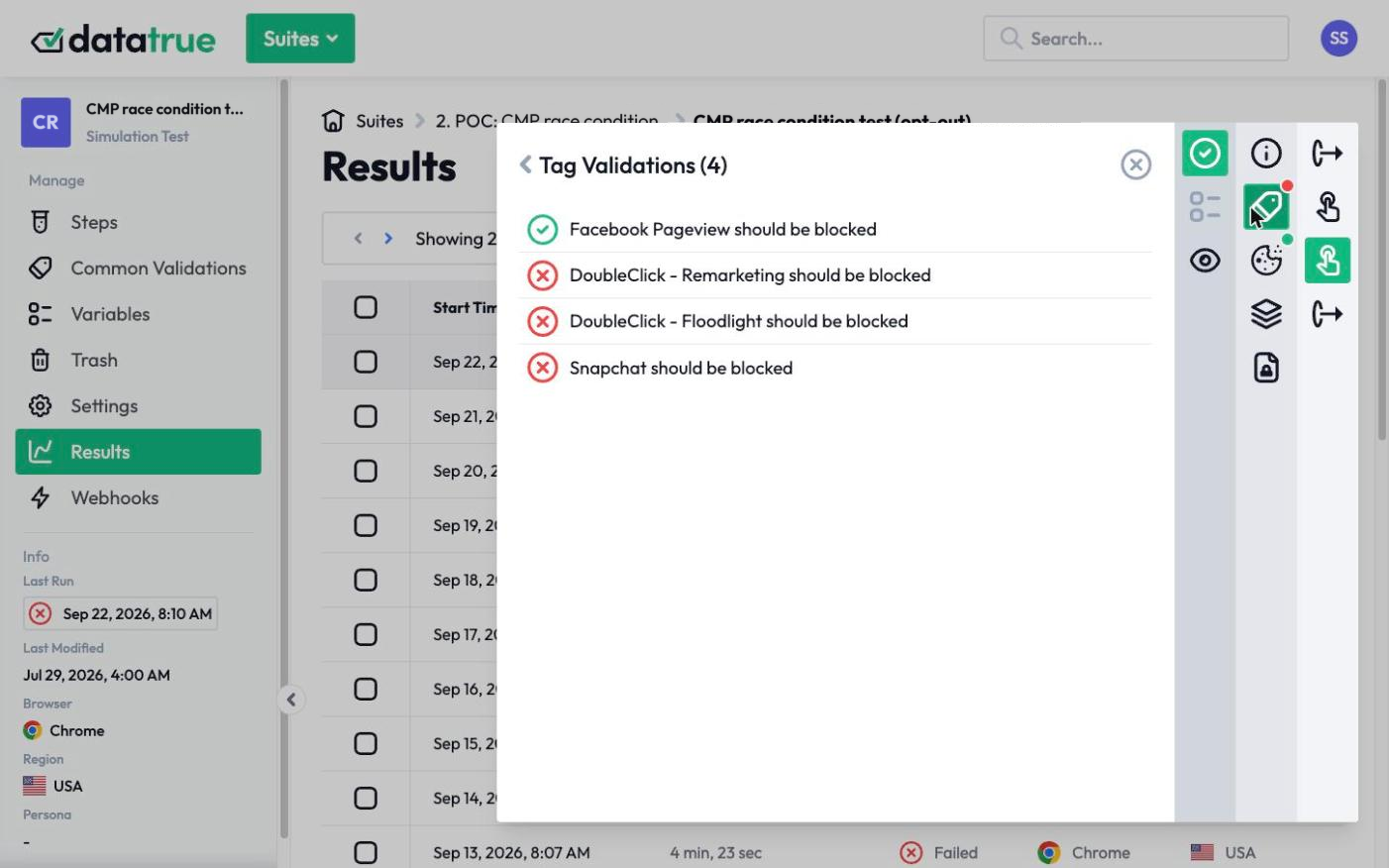
Listing your cookies is the easy part. The harder question is whether those cookies actually honor consent: does a consent management platform record a visitor’s choice, and do the tags and cookies then follow it? A platform records the decision, but confirming the cookies obey it is a separate check that a static cookie inventory does not perform. See how consent verification works, and how DataTrue and OneTrust compare.
DataTrue automates the audit and the consent check together: it loads your site the way a real visitor would, records every cookie and tag, confirms nothing non-essential fires before consent, and gives you a timestamped record you can show a regulator.
Questions
What is a cookie audit?
A cookie audit is a review of every cookie your website sets: what each one does, who placed it, what data it collects, and whether it complies with the privacy laws that apply to you. It produces an inventory you can defend and a check that non-essential cookies only run with consent.
How often should I run a cookie audit?
On a recurring schedule, and after any change to your tags, tag manager, or third-party scripts. Cookies change whenever a vendor updates a script or your team adds a tag, so an audit that was accurate last quarter can be out of date now.
What is the difference between an automatic and a manual cookie audit?
A manual audit is done by hand and captures only the cookies present when you look. An automatic audit uses a tool to load the site continuously, catches cookies that appear after an interaction, and can validate consent state. Automatic auditing is the reliable standing control, and manual checks are useful for investigating findings.
Do all cookies require consent?
No. Essential cookies, like those keeping you logged in or holding a cart, can generally run without consent. Non-essential cookies for analytics, advertising, and personalization require consent under EU and UK cookie rules, and must not fire before the visitor agrees.
How do I know my cookies actually stop when someone declines?
By testing in the declined state. Recording your cookie inventory is not enough. You have to load the site with consent declined and confirm the non-essential cookies do not fire. This is what consent verification checks, and it is the step a static cookie list cannot prove.
See what your tags do in every consent state
DataTrue loads your real pages as a visitor who accepts, rejects, or sends an opt-out signal, and reads what each tag sends. A tag that ignores the visitor’s choice shows up in a test.
- Every page, with coverage scans
- Scheduled runs, with alerts when a result changes
- Full journeys, like checkout and signup, in each consent state
- What each tag sent, field by field
- PII detection with test personas
- iOS and Android app testing
- Pre-publish testing for GTM and Adobe Tags
- REST API, plus Slack and Jira alerts
The full platform, every feature, free for 30 days.