Free Privacy & Consent Audit
We visit your site the way your visitors do, in each consent state, and report what your tags actually do. You get 8 checks on 5 public pages, and a person on our team emails your report within one business day.
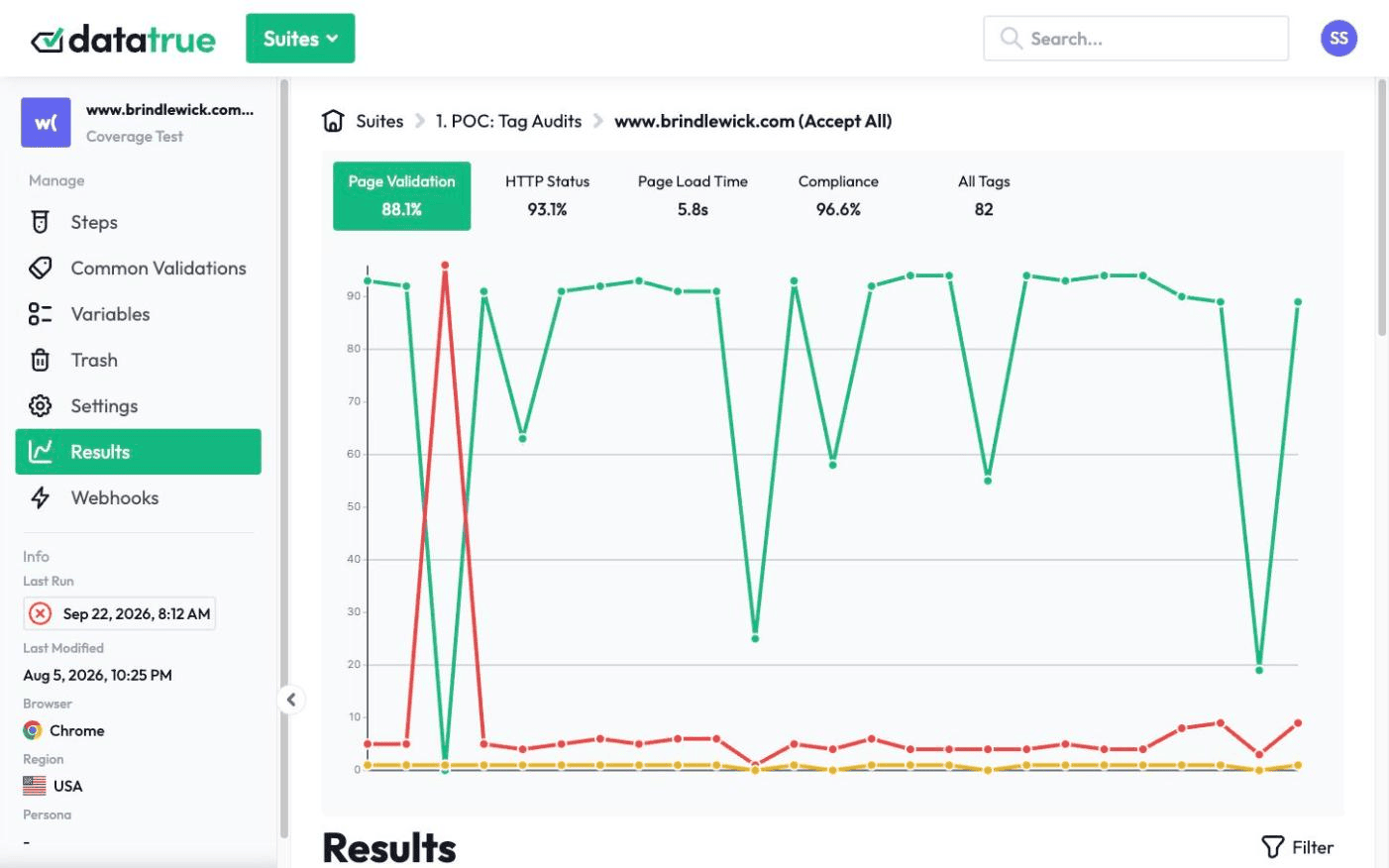
“I’m amazed. This is the world we live in now.”













What’s in your report: tags, cookies and where your data goes
Your report is a PDF, written up and emailed by a person on our team. It follows the same order every time:

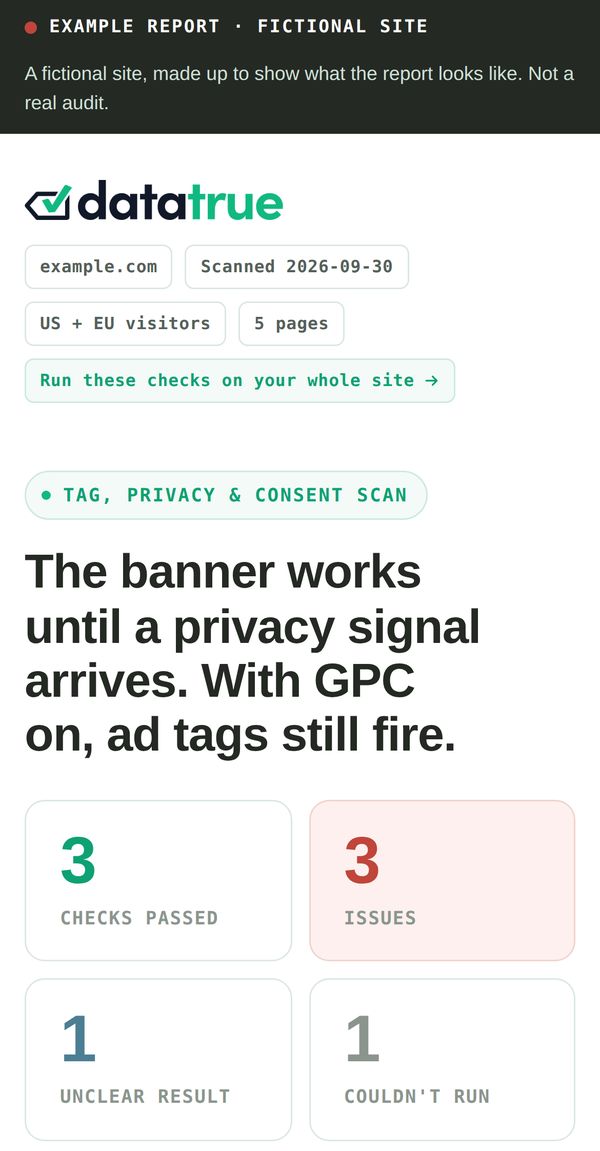
- The main finding, in one line, with a chart comparing what each visitor type triggered.
- The eight checks at a glance, each marked Passed, Issue (minor or major), Unclear or Couldn’t run.
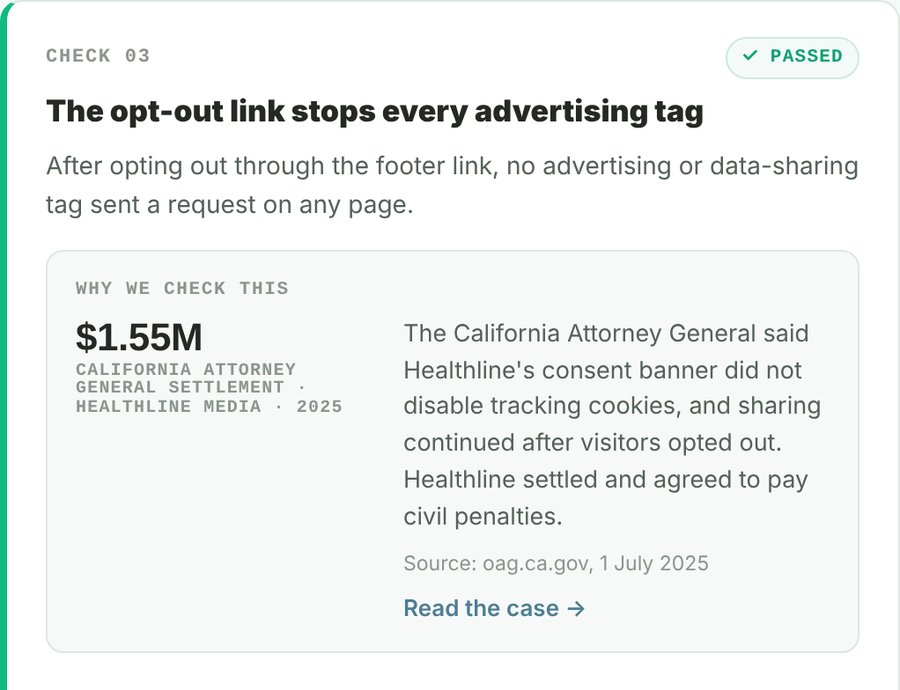
- Check by check: the evidence for each result, and a public enforcement case from your region that shows why we check it.
- Who gets the data: the companies receiving data from your site.
- Tag inventory: every tag we found, by company and category.
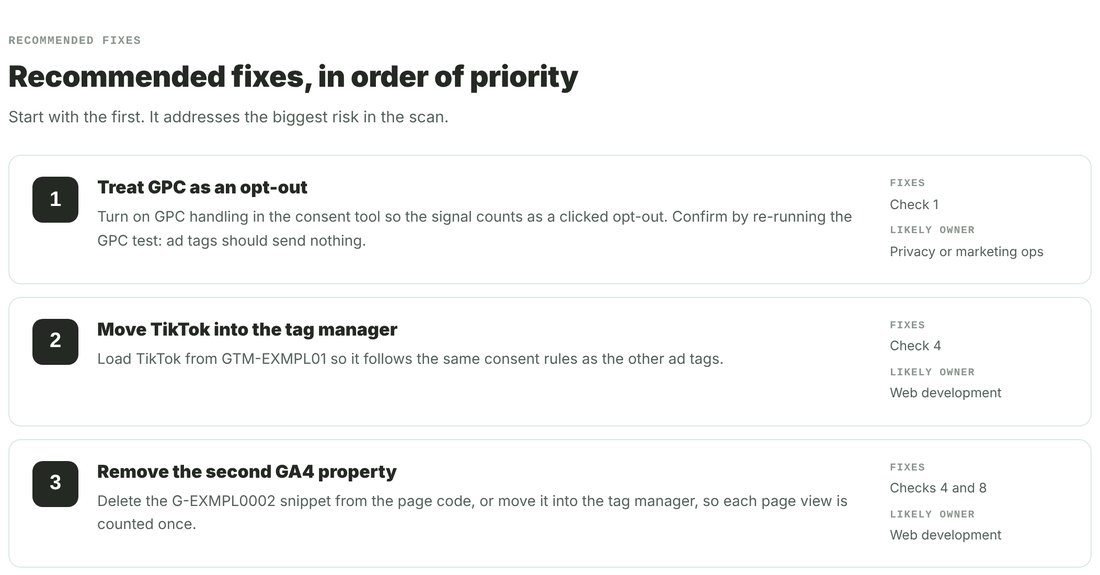
- Recommended fixes, in priority order.
- Other things we noticed outside the eight checks.
- How we ran it: the pages, the visitor types and the regions.
Each finding is a risk for your privacy and legal teams to review. The report isn’t legal advice. It covers a sample of 5 public pages, so it isn’t a full-site audit.
What does the audit check?
Every audit runs the same 8 checks in the same order, with the same rules. Each check answers one question about your site.

Privacy signal (GPC) honoured
When a browser sends Global Privacy Control, does sharing stop?
Tags before a choice
Does anything run that should wait for consent?
Tags after opt-out
When a visitor uses your opt-out, does data sharing stop?
Tags outside the tag manager
Does every tag load where your consent rules apply?
Personal data leaking through forms
When someone types their details, does any of it reach a third party, plain or hashed?
Session replay or live chat
Do recording or chat tools load before a visitor agrees?
Tag inventory
Can every tag, and the company behind it, be identified?
Duplicate firing
Does each analytics property count one page view per page load?
iWhy we ask about regions. We judge each check by region. For visitors in the EU and UK, consent comes first, banner or not. In the US, Canada and Australia we follow your site’s own setup: a banner means consent first, and no banner means the US opt-out model. Check 1 runs for US visitors only. Nine states directly require businesses to honor a browser opt-out signal such as GPC: California, Colorado, Connecticut, Delaware, Minnesota, Montana, New Hampshire, New Jersey and Oregon. Texas, Maryland and Nebraska let consumers opt out through a browser setting that acts as their authorized agent, with conditions.
How the audit works
Tell us your domain and regions.
Use the form above. No account and no card.
We run the audit.
A person on our team reviews your site first: your consent tool, your banner and your forms. Then an automated browser visits 5 public pages as each visitor type, from each region you chose, and records every tag request and cookie.
We email your report.
A person on our team sends it within one business day. Reply with any questions.
The five visitor types
No choice
Arrives and browses without touching any privacy setting.
Clicked opt-out
Uses your site’s own reject or opt-out control.
GPC on
The browser sends Global Privacy Control on every page (US only).
Accept
Accepts everything, for comparison.
Form filler
Accepts, then types a test name, email and phone number into a form. It never submits the form.
What the free audit covers, and what DataTrue adds
| This audit | With DataTrue |
|---|---|
| 5 pages | Every page, with coverage scans |
| One run, on one date | Scheduled runs, with alerts when a result changes |
| Page loads in each consent state | Full journeys, like checkout and signup, in each consent state |
| Which tags loaded | What each tag sent, field by field |
| The same 8 checks for every site | Testing built for your sites and regions, set up and kept working by us |
| A one-off PDF | Custom reports on your schedule, reviewed by a person |
| Reply to the email with questions | A dedicated DataTrue expert you can call, text, Slack or email |
Does your consent banner actually stop your tags?
A consent banner records what a visitor chose. It doesn’t stop a tag by itself. Your tag manager, your site code and each vendor’s settings all have to act on that choice. When one of them doesn’t, tags keep sending data after a visitor said no.
The Free Privacy & Consent Audit checks for that gap between what your banner says and what your tags do.
What happens after your audit
Your audit is a snapshot of one day. DataTrue runs this testing for you, across your sites, and keeps it running.
- We set up your testing and keep it working.
- You get custom reports with a recommended fix for every finding.
- Your dedicated DataTrue expert is on call.
“DataTrue has proved pivotal in scanning our site for non-compliant tags.”
Global Credit Card Provider (anonymized)
Questions
Is the audit really free?
Yes. There’s no account, no card and no obligation. You give us a domain, your regions and a work email, and we send the report.
Will the audit change anything on my site?
No. There’s nothing of ours to install on your pages. We visit public pages only, the way any visitor would, and we respect your robots.txt. Our test visitor types a test name, email and phone number into one form to check where that data goes. It never submits the form unless you ask us to.
Which pages do you audit?
Five public pages: your home page, a content page loaded as if from an ad click, your main public form page, one sensitive or high-value page (such as a health, finance or checkout page) and your privacy policy. A person on our team picks them after reviewing your site.
Why do you ask which regions matter to me?
Privacy rules differ by region, so we judge each check by the rules there. In the EU and UK, consent comes first. In California and most US states with privacy laws, people have the right to opt out of advertising use of their data, and a GPC signal counts as that request in the states that require it. We visit your site from each region you choose.
What if our bot protection blocks the audit?
We’ll tell you, and send you DataTrue’s list of IP addresses to add to your allowlist. It’s a one-time change. Once it’s in, we run the audit again.
Who sees the report?
You do. We email it to you, and no one else.
Why do I need a work email at the same domain?
The report shows how a site handles visitor data, so we only send it to someone at the company that runs the site. Subdomains count: an email at acme.com can request shop.acme.com. If you’re an agency or partner asking on a client’s behalf, contact us and we’ll find the right route.
Is the report legal advice?
No. Each finding is a risk for your team to review. Whether a finding creates legal exposure is a question for your own privacy and legal teams.
What happens after I get my report?
The person who ran your audit walks you through it and answers your questions. If you want this testing running across your site, start a free 30-day trial or talk to us about a 90-day pilot. See how it works.
Can you set this up across my whole site?
Yes. That’s how DataTrue works: we set up, run and maintain your testing, and send you custom reports with what’s wrong, where it is and how to fix it. See how it works.
Do I have to learn DataTrue?
No. Our team does the setup and sends you the answers. The platform is there if you want it.
You shouldn’t have to learn a platform to get answers from it.
This is how tag and privacy monitoring works now. Your experts set it up. Your team gets the answers.
- We set up our base tests on one domain
- Consent, Global Privacy Control (GPC) and privacy checks
- A first report, often within a day
- Weekly digests of what changed
- Custom journeys like checkout and signup
- Custom reports built for your business
- Ad hoc meetings
- Same business day calls
We set up our base tests on one domain and send a first report and weekly digests, so you can see it working before anything is customized.